DVM870 Rev. 01
04.02.2010 ©Velleman nv
6
• Always use the device within its specified range.
• Calibration and repair must be performed by a qualified technician. Refer
to your local dealer.
• Never attempt to measure voltages when a current measuring range is
selected.
6. Features
• 3 1/2 Digit LCD display with automatic polarity indication and settings
information
• automatic or manual range selection
• data hold function
• continuity and diode test
• peak hold function
• auto-restore fuse (except 10A range)
• conform with IEC1010 CAT II (residential branch circuits) 600V
7. Overview
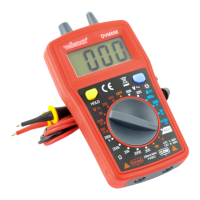
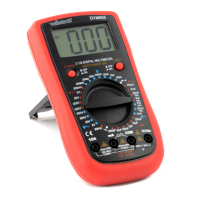
Refer to the illustrations on page 2 of this manual.
1 LCD display, 3 full digits and 1 half (max. range 1999)
2 MAX: hold max value on LCD
3 SELECT: function switch
4 HOLD: lock the current reading
5 RANGE: for manual range selection
Disconnect from live circuit before changing!
6 Rotary switch: to select type of measurement
7 COM: common input terminal
8 10A: input terminal for high currents
9 VmA: input terminal for current <200mA and all other measurements
10 battery compartment
11 screw (4x) to open housing (located under protective cover)
12 location of fuse
13 stand



 To Next Page