8
Operating mode
20. Operation mode
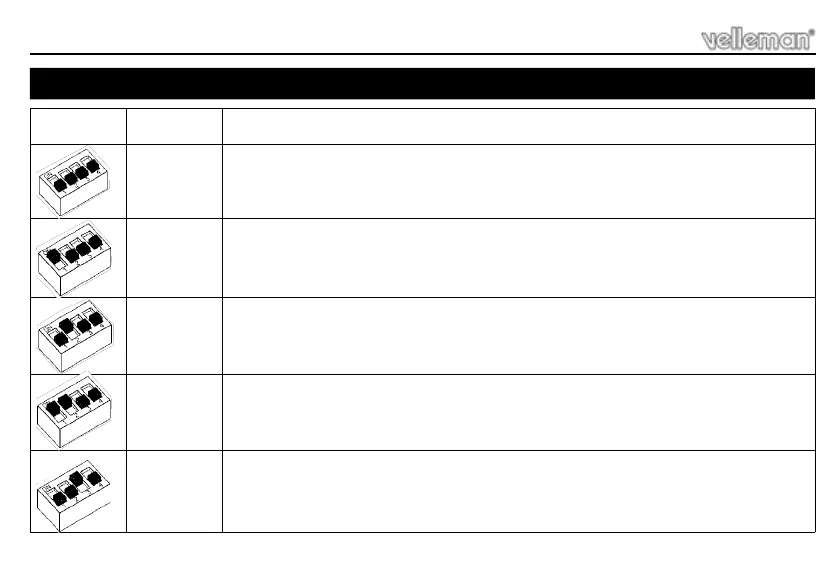
SW1
OPERATION
MODE
DESCRIPTION
Momentary
mode
The load will be switched on as long as the pushbutton is pressed.
Applications : doorbell, …
Toggle mode
Push once to turn on, push again to turn off the load. Applications : put a virtually unlimited num-
ber of pushbuttons in parallel to control a light source or other device.
Start/stop
timer
Push to turn on. After pre-set time has elapsed, load will turn off. Push any time to turn off. Load
will turn off when pushbutton is held down and time elapses.
Applications : General timing. Hint : use as ‘Toggle mode’ with a very long delay time. This will
ensure lights will not remain on forever if forgotten to turn them off.
Staircase
timer
Push to turn on. After pre-set time has elapsed, load will turn off. A push during on-time will restart
timer and stretch on-time. Applications: staircases, basements, storage rooms, front door light-
ing, …
Dual-time
staircase
timer
A short push turns on with delay1* while a longer push turns on with delay2*. Repeated short/long
pushing during on-time will retrigger timer accordingly. Load will turn off when time elapses even
when pushbutton is held down.
Applications : same as above, but allows to select a longer time if necessary.



 To Next Page