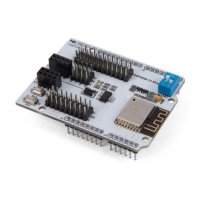
VMA205
V. 03 – 08/05/2019 3 ©Velleman nv
5. Pin Layout
ESP8266 WiFi configuration
When programming Arduino
®
with
IDE, SW1 must switch to OFF
6. Example
Hardware Requirements
1x Arduino
®
Uno board
1x VMA205
1x PC with wireless LAN
1x USB cable
Software Requirements
1x Arduino
®
IDE
TCPUDPDbg download (for sending and receiving Internet communication data)
This shield allows you to operate an ESP8266 controller board through Arduino
®
IDE, without any wire
connection. Just plug this shield into the Arduino
®
UNO/Mega board, upload the WiFi configuration code to start
a WiFi host or hotpoint, and use the TCP/UDP Debugging software to monitor your data transmission.
First, the hardware connection is very simple and does not need any wire connection. Just connect the WiFi
shield to the Arduino
®
UNO/Mega board.


 To Next Page
 Loading...