VMA205
V. 03 – 08/05/2019 5 ©Velleman nv
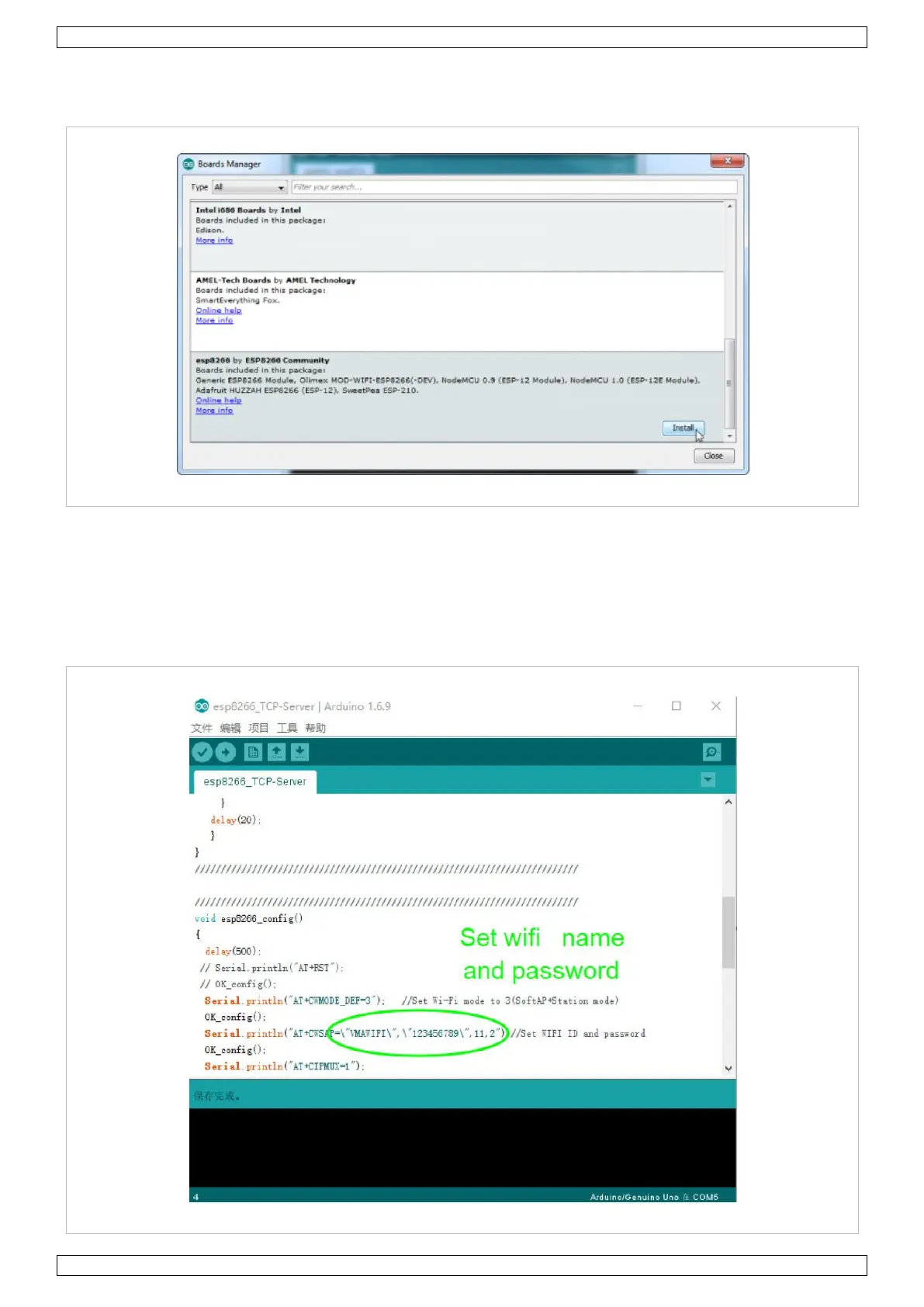
Click OK to confirm. Next, go to Tools > Boards > Boards Manager and look for the ESP8266. Click on that
entry and install.
The board definitions and tools for the ESP8266 include a whole set of gcc, g++ and other reasonably large,
compiled binaries so it may take a few minutes to download and install.
After installing the ESP8266, run the example code ESP8266_TCP_Server. This example sets the WiFi shield as
server and creates a WiFi named VMAWIFI. Other wireless devices such as a PC or cell phone could connect to
the WiFi.


 To Next Page