EasyManua.ls Logo

Vellgoo DryBox 200 - User Manual

Default Icon
2 pages
Print Icon
To Next Page IconTo Next Page
Loading...
USER MANUAL
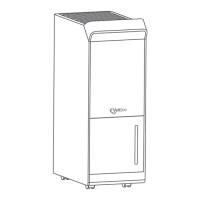
DEHUMIDIFIER
Model: DryBox 200 / DryBox 200s
Questions or Concerns?
Please contact us at service@vellgoo.com.
Thank you for purchasing
DEHUMIDIFIER BY VELLGOO!
Please be sure to read the entirety of this user manual
carefully before use of the product.
SPECIFICATIONS
Size
Weight
Opreating Temperature
Water tank capacity
Input
Rated Power
Moisture removal
(80.6°F, 60% RH)
Moisture removal
(86°F, 80% RH)
Noise Level
Suggested Range
6.14*5.74*8.41inch(15.6*14.57*21.35cm)
1.98lb (0.9kg) 2.65lb (1.2kg)
5°C-50°C(41°F-122°F)
22.66 oz / 670mL
DC 9V 2.5A
23w
<30dB
< 162 ft² / 15 m²
When only charging and not
turning on, the power is 8w,
while charging and turning
on, the power is 30w
4.46 oz / Day
(132mL / Day)
1.62 oz / Day
(48mL / Day)
8.11 oz / Day
(240mL / Day)
3.08 oz / Day
(91.2mL / Day)
Model
DryBox 200
(Without battery style)
DryBox 200s
(With battery style)
PACKAGE CONTENTS
1 x Dehumidifier 1 x User Manual
SAFETY INFORMATION
Household use only
Do not exceed the rating of the power outlet or connected device.
Do not modify the power cord length or share the outlet with other
appliances.
Do not use the dehumidifier near flammable gas or combustibles, such
as gasoline, benzene, thinner, etc.
If water enters the dehumidifier, please turn off the dehumidifier and
disconnect the power,contact customer service at service@vell-
goo.com to avoid danger.
This dehumidifier can only be used by children 8 years or older and
persons with reduced physical, sensory or mental capabilities or lack of
experience and knowledge with supervision or instruction concerning
the use of the dehumidifier. Cleaning and user maintenance shall not
be done by children without supervision.
If you suspect the dehumidifier or the supply cord has been damaged,
please contact Vellgoo Customer Service at service@vellgoo.com.
CAUTION
PARTS DESCRIPTION
Rotary Switch
Left side of rotary switch: Off Button.
Middle side of rotary switch: On Button, LED light is blue.
Right side of the rotary switch: Sleep mode, LED light is off.
OPERATION
Remove the power adapter from the box and attach it to both the
dehumidifier and socket.
Switch the dehumidifier ON using the Rotary switch. The blue LED will
illuminate and you should feel a light breeze blowing out of the dry air
outlet.
Switch OFF, rotary the OFF switch again.
Plug in the power supply, the blue light will be on for 1 second, and it will
enter the standby mode.
Dry Air
Outlet
Handle
Water Tank
Cover
Water Tank
Rotary
Switch
Air Inlet
DC Power
Adaptor
DC Power
Jack
USING TIPS
1
/
2 /
3 /
SMART FUNCTIONS
• Standby Mode
Turn the rotary switch to the right, and the LED light is off at this time.
• Sleep Mode
When the water tank is full , the dehumidifier will automatically shut off.
• Auto Shut Off
Question and Answer IconNeed help?

Do you have a question about the Vellgoo DryBox 200 and is the answer not in the manual?

Summary

Dehumidifier Specifications

Safety and Operation

General Safety Guidelines

Essential safety warnings for household use, electrical safety, and handling potential hazards.

Operating Instructions

Step-by-step guide for connecting the power adapter and operating the dehumidifier.

Smart Functionality

Explains standby mode, sleep mode, and automatic shut-off features.

Device Components

Rotary Switch Controls

Details the functions of the rotary switch for off, on, and sleep modes.

Indicator Lights and Water Tank

Charging Indicator Behavior

Describes LED indicator behavior during charging, fully charged, and dehumidification states.

Water Tank Full Indicator

Explains the orange LED light that signals when the water tank is ready to be emptied.

Water Tank Handling

Instructions on how to remove, empty, and install the water tank correctly.

Maintenance and Storage

Cleaning Instructions

Steps for cleaning the dehumidifier with water and mild detergent.

Storage Recommendations

Guidance on storing the dehumidifier when not in use for extended periods.

Troubleshooting Common Issues

Dehumidifier Not Working

Checks for power, circuit breakers, and full water tank when the unit doesn't operate.

Reduced Drying Performance

Tips to improve performance including time, closed spaces, and room conditions.

Water Leaks or Noise

Troubleshooting steps for water on the floor or loud operating noises.

Water Full Indicator

Addresses the situation where the water-full light is on after energizing the unit.

Warranty and Returns

Warranty Exclusions

Lists conditions that are not covered by the product warranty.

Warranty Extension

Information on how to register for an additional year of warranty.

Defective Products

Procedure for contacting support and returning defective products within the warranty period.

Vellgoo DryBox 200 Specifications

General IconGeneral
BrandVellgoo
ModelDryBox 200
CategoryDehumidifier
LanguageEnglish

Related product manuals