4
DMX Linking: To ensure proper DMX data transmission, when using several DMX fixtures try to use the
shortest cable path possible. The order in which fixtures are connected in a DMX line does not influence
the DMX addressing. For example; a fixture assigned a DMX address of 1 may be placed anywhere in a
DMX line, at the beginning, at the end, or anywhere in the middle. When a fixture is assigned a DMX
address of 1, the DMX controller knows to send DATA assigned to address 1 to that unit, no matter where it
is located in the DMX chain.
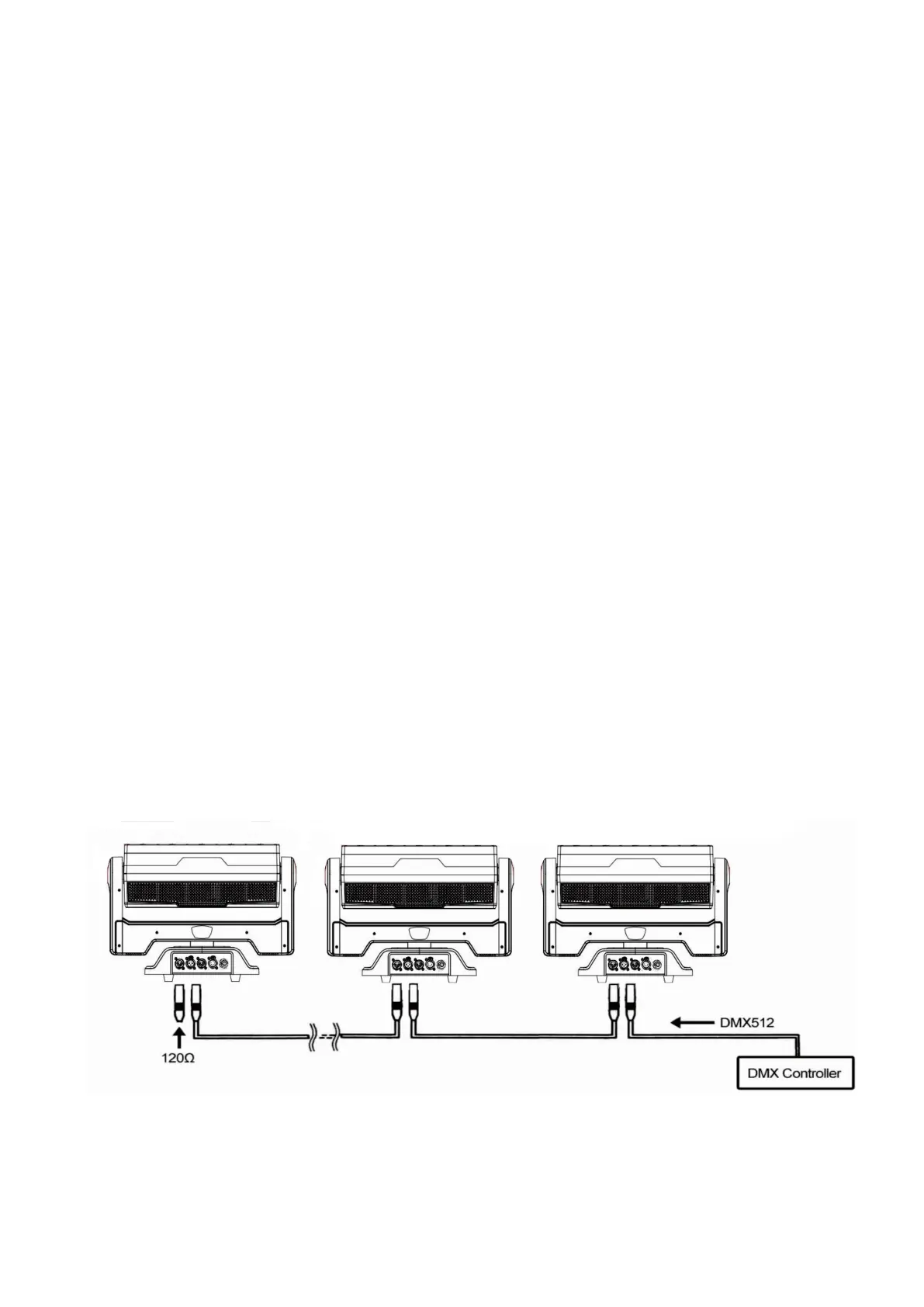
Building a serial DMX-chain:
Connect the DMX-output of the first fixture in the DMX-chain with the DMX-input of the next fixture. Always
connect one output with the input of the next fixture until all fixtures are connected.
Caution: At the last fixture, the DMX-cable has to be terminated with a terminator. Solder a 120Ω resistor
between Signal (-) and Signal (+) into a 3pin XLR-plug and plug it in the DMX-output of the last fixture.
Operating Modes: You can use the LED moving storm2000 plus in 3 ways:
Auto Mode - The unit automatically chase through the different colors and built-in programs.
Slave Mode – The unit is available work by slave mode.
DMX control mode - This function allows you to control each individual fixtures traits with a standard
DMX 512 controller.
DMX Mode: Operating through a DMX controller give the user the freedom to create their own programs
tailored to their own individual needs. This function also allows you to use your fixtures as beam lights.
1. This function will allow you to control each individual fixture’s traits with a standard DMX 512 controller.
2. The fixture uses 19/63/154 DMX channels (RGBW version) to operate. Please see “DMX Values and
Functions” for the DMX traits.
3. To run your fixture in DMX mode, plug in the fixture via the XLR connections to any standard DMX
controller. Set your desired DMX address following the setup specifications that come with your DMX
controller.


 To Next Page
 Loading...