Need help?
Do you have a question about the Velvet Light Series and is the answer not in the manual?
Highlights the importance of following safety instructions for user protection.
Explains various safety symbols like DANGER, WARNING, and CAUTION used in the manual.
Highlights key features such as dustproof/rainproof construction and LED technology.
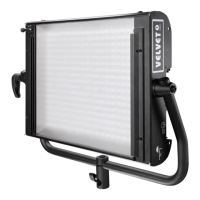
Details the parts and specifications for the VELVET Light 1 IP54 model.
Instructions for connecting the fixtures using AC power supply plates.
Guidelines for connecting external batteries (12-35 VDC) to the LED panels.
Instructions for connecting studio models using AC power supply plates.
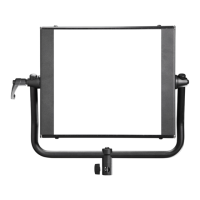
Step-by-step guide for assembling the yoke onto VELVET Light 1 and 2 LED panels.
Detailed instructions for assembling the yoke disc kit for VELVET Light 2x2.
Guide for mounting the pole operated yoke onto VELVET light panels.
Emphasizes the mandatory use of safety cables for hanging mounted panels.
Explains how to adjust color temperature and light intensity using control panel buttons.
Instructions on setting DMX channels for controlling fixtures via a console.
 General
| Beam Angle | 120° |
|---|---|
| Dimmable | Yes |
| Material | Aluminum |
| IP Rating | IP20 |
| Type | LED |
| CRI | ≥95 |
| TLCI | >95 |
| Control | DMX |
| Power Consumption | 50W |
| Input Voltage | 100-240V |
| Lifespan | 50000 hours |

 To Next Page