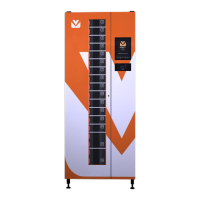
Vending-Box COMPANY Model 540
15.1 ETHERNET interface
In order to configure Ethernet interface, match the right
values with the parametres below:
Defines if the interface is on. Admissible
value YES or NO.
IP address of the device in X.X.X.X or
DHCP in case of the dynamically
assigned address.
Net mask in X.X.X.X. Ignored parameter
in case of switching on the client’s
DHCP.
IP address of the gate in the net in
X.X.X.X. The parametre is ignored in
case switching on the client’s DHCP.
All the predefined text values should be typed in capital
letters.
15.2 WLAN interface
In order to configure WLAN interface match the right
values with the parametres below:
Defines if the interface is on. Admissible
value YES or NO.
IP address of the device in X.X.X.X or
DHCP in case of the dynamically
assigned address.
Net mask in X.X.X.X. Ignored parameter
in case of switching on the client’s
DHCP.
IP address of the gate in the net in
X.X.X.X. The parametre is ignored in
case switching on the client’s DHCP.
Name of the wireless net, which the
device is to be connected with.
All the predefined text values should be typed in capital
letters.
15.3 Interfejs GSM
In order to configure GSM interface, match the right
values with the parametres below:
Defines if the interface is on. Admissible
value YES or NO.
Name of the access point.
PIN number of the SIM card.
Defines if during connecting, the text
messages are to be deleted from the
SIM card. Admissible value YES or NO.
All the predefined text values should be typed in capital
letters.
Configuration of the connection of packet data
depends on the operator and the tariff plan. If you do not
know the settings needed for connection through GSM,
contact an operator of the net which the used SIM card
In case of wrong PIN code, the SIM card may be
blocked. Before you start transmission of packet data,
make sure the given PIN code is right.


 To Next Page
 Loading...