Need help?
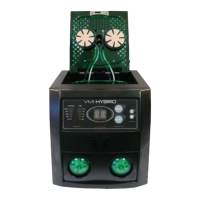
Do you have a question about the VenMill Industries HYBRID 2.0 and is the answer not in the manual?
Locate the RS232 port and install the provided C-H Chip.
Locate and fill the water bottle in the back panel compartment.
Shake, uncap, remove safety seal, and connect tubing to the Buffing Solution bottle.
Plug the power cord into the unit and a wall outlet, then turn on the switch.
Use the 'C' and 'W' buttons to prep the buffing solution and water lines.
Remove the lid stopper and align the hub with the hex post.
Ensure correct orientation and seating of 'L' and 'R' buffing pads on holders.
For CD-ROMs, DVDs, Music CDs, and similar discs. Select time and start cycle.
For Blu-ray, PS3, PS4, X-Box One, and Wii U discs. Select time and start cycle.
Notifies when consumables are depleted and need replacement based on usage time.
Procedure to remove and install new buffing pads after 84 minutes of operation.
Procedure to replace the center hub, often with buffing pads, after 84 minutes.
Procedure to refill the water bottle when the 'AW' message is displayed.
Procedure to replace the buffing solution bottle after 250 minutes of operation.
Advice on when to empty the catch tray to prevent overflow and damage.
Procedure to clean the catch tray, often done with solution bottle replacement.
Procedure to replace jet nozzle extenders when other consumables are replaced.
Steps to clear dried solution from jet nozzle extenders after idle periods.
Procedure to replace the C-H chip after 500 minutes of operation.
Keep the top cover open to prevent buffing pads from flattening.
Requires a three-inch adapter; not included with the machine.
Yes, Blu-ray discs can be repaired by the unit.
Yes, double-sided discs are supported for repair.
No, the unit cannot repair discs that are warped or cracked.
One bottle lasts for 250 minutes of operation.
One set of pads lasts for 84 minutes of operation.
Replace if imperfections like rips, tears, or gouges are present.
No, the unit will not allow cycles after C-H Chip depletion.
Remove bottles to prevent leaks during transit and potential damage.
Use the included disc cleaning kit to remove residual solution.
Cleanliness ensures longevity and prevents disc slippage during repair.
 General
| Brand | VenMill Industries |
|---|---|
| Model | HYBRID 2.0 |
| Category | Computer Accessories |
| Language | English |


 To Next Page