EasyManua.ls Logo

Venstar SURVEYOR DC500 - User Manual

Venstar SURVEYOR DC500
16 pages
Print Icon
To Next Page IconTo Next Page
Loading...
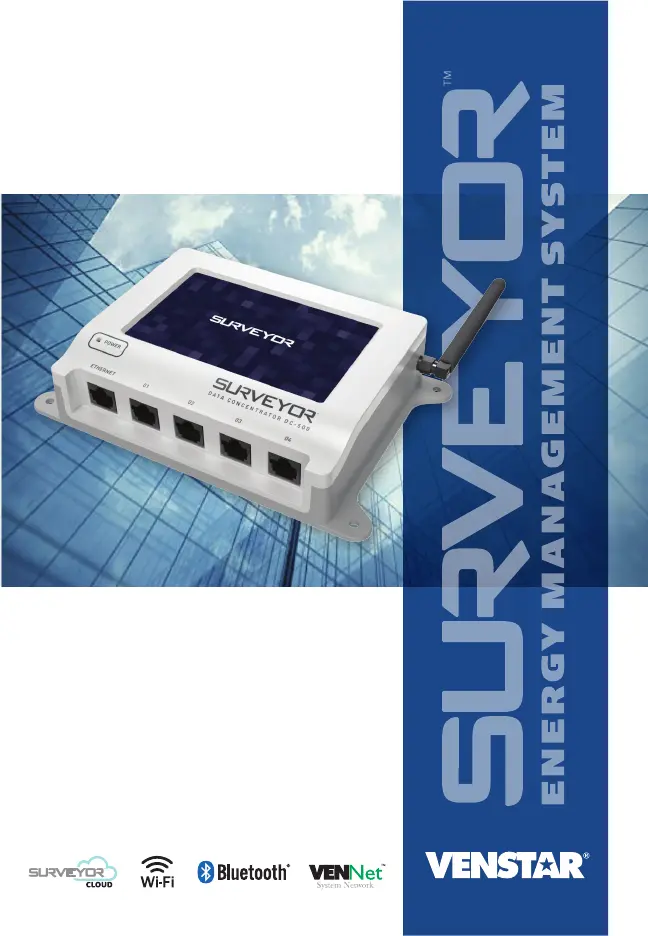
DC500
DATA CONCENTRATOR
INSTALLATION
INSTRUCTIONS

Questions and Answers

  • B
    Brianna CisnerosAug 5, 2025
    How to fix Venstar Control Panel DC500 when there is no access to network with wired connection?
    • B
      brownronaldAug 5, 2025
      If your Venstar Control Panel DC500 has no access to the network via a wired connection, ensure the DC500 is connected to the correct port on the router/switch. Test the reliability of the Ethernet cable. Also, verify the network connection is active and online.
  • K
    Kimberly RobertsAug 16, 2025
    What to do if Venstar Control Panel DC500 does not have power?
    • A
      amanda48Aug 16, 2025
      If the Venstar Control Panel DC500 has no power, check the power indicator LED on the DC500, verify the 24 VAC power supply connection at the back of the DC500, and ensure the outlet has power.
  • J
    John SmithAug 27, 2025
    What to do if Surveyor devices are not found during Auto-discovery on Venstar Control Panel DC500?
    • K
      karenmcphersonAug 27, 2025
      If other Surveyor devices are not found during auto-discovery with the Venstar Control Panel DC500, make sure connected devices have power. Check the wiring between the DC500 and any affected devices. It’s also possible the device type is not recognized by or compatible with the DC500.

Summary

DC500 Data Concentrator Introduction

Safety Precautions

General Safety Reminders

Adherence to safety guidelines for installation, troubleshooting, and maintenance.

Installation Guide

Mounting the DC500

Guidance on selecting a location and mounting the device.

Powering the DC500

Instructions for connecting the 24 VAC power supply.

Wired Internet Connection

Steps for establishing a wired internet connection via Ethernet.

Wireless Internet Connection

Steps for establishing a wireless internet connection via Wi-Fi.

Connecting the Antenna

How to attach the antenna for Sub-GHz communication.

Connecting to Surveyor Devices

Ensuring communication bus wiring is correct before connecting.

Surveyor BUS Adapter Scenarios

Details on using the BUS adapter for DC400 upgrades.

Setting up the Data Concentrator

Initial configuration steps on the device's touchscreen interface.

Troubleshooting

Compliance and Warranty

FCC Compliance Statement

Regulatory compliance information for the device.

Warranty Information

Details on the one-year warranty terms and limitations.

Venstar SURVEYOR DC500 Specifications

General IconGeneral
ProgrammabilityYes
CommunicationWi-Fi
Operating Voltage24VAC
Operating Temperature32°F to 122°F (0°C to 50°C)
ConnectivityEthernet, Wi-Fi
Power Supply24VAC
PortsEthernet