28 EN
You can carry out care actions 9, 10 and 11 at any time, even if they are not indicat-
ed on the display. When you are finished, simply activate the RESET function for
CLEANING, DISK, SERVICE: Touch the Power button
and hold for approx. 4 sec-
onds until it flashes and SERVICE, CLEANING and DISK appear on the display. Now
touch the actions you have performed and hold for approx. 3 seconds until they go
out. Finally, touch the flashing Power button
and hold for approx. 4 seconds until
it lights up constantly. The next reminders for the actions performed will be indicat-
ed at the normal intervals.
Any residues in the water tray and on the evaporation unit (white, greenish-yellow or
brown deposits/discoloration) do NOT impair the function of the appliance.
CLEANING THE UPPER
HOUSING
!
Attention! Ensure that the device is switched off during any measures and the
switching power supply is disconnected from the outlet!
Clean the upper housing with a dry cloth/cleaning brush or a slightly damp cloth.
!
Do not clean the upper housing under running water!
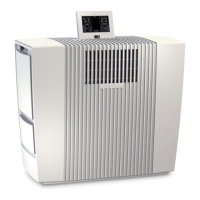
Only clean the display with a dry cloth or a display cleaning cloth.
!
Do not clean the display with a wet or too-damp cloth!
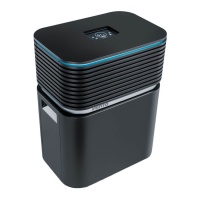
ACCESSORIES
• Venta hygiene disk for perfectly hygienic constant operation
• Venta cleaner for six-monthly cleaning
• Optional: Venta WLAN/WiFi module in combination with the free app from Venta
for perfect control and easy remote control, even on the go
Additional AeroStyle accessories available online:
DE
www.venta-luftwaescher.de


 To Next Page