Need help?
Do you have a question about the Vente Unique Vogue Spa TP500 and is the answer not in the manual?
Essential steps for spa setup, conductor torque, and grounding.
Guidelines for safe electrical installation and compliance with standards.
Importance of Ground Fault Circuit Interrupter or Residual Current Device.
Warning against attempting to service control system components.
Overview of navigating the standard menu structure of the control panels.
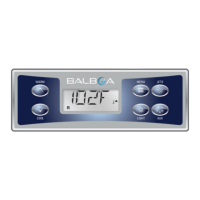
Description and meaning of various icons displayed on the control panel.
How to navigate the menu structure using the control panel buttons.
Explanation of symbols used in control panel navigation diagrams.
Sequence of displays shown when the system powers up.
Steps for filling the spa and preparing for operation.
Process of priming pumps, duration, and heater disable during this mode.
Detailed steps to start and ensure pumps are primed correctly.
Methods to manually exit priming mode and what happens after.
How pumps operate, including low-speed and high-speed functions.
Different configurations for circulation pump operation.
How filtration and ozone generation work within the system.
System activation of pumps and blower for freeze protection.
Functionality of the clean-up cycle after pump/blower use.
How to change the desired water temperature using the panel buttons.
Using the press-and-hold function for temperature adjustments.
Explanation of High and Low range settings for temperature control.
How the spa maintains temperature in Ready Mode (polling).
How the spa heats only during filter cycles in Rest Mode.
Behavior when "Jets" is pressed while in Rest Mode.
How to set and display the current time on the control panel.
Functionality to invert the display orientation.
How to restrict panel use to prevent unwanted adjustments.
How to lock temperature settings while allowing other features.
Procedure to unlock a restricted control panel.
Disabling pumps for service functions like filter cleaning.
Using a pump for draining water, a component of Hold Mode.
Setting filter cycles using start time and duration.
How to enable and configure a second filter cycle.
How pumps/blower purge plumbing at the start of filter cycles.
How to program the light timer feature if available.
Changing temperature display between Fahrenheit and Celsius.
Switching the clock display between 12-hour and 24-hour format.
Enabling or disabling reminder messages on the display.
Setting the duration for the cleanup cycle.
Enabling or disabling M8 feature for reduced polling intervals.
Setting addresses for RF Dolphin remotes.
Access system settings and identification details.
Displays software ID, model, panel version, and hardware configurations.
Shows configured heater voltage, wattage, and type.
Manual GFCI testing and its safety importance.
Displays sensor temperatures and records system faults.
Activates demo mode to showcase system features.
Steps to access INFO, SSID, MODL, SETP, etc.
Steps to access GFCI, A/B, FALT LOG, DEMO.
Detailed steps for testing and resetting the GFCI protection feature.
Procedure to manually initiate the GFCI trip test.
How to access and interpret the fault log entries.
Explains the spa's priming mode upon power-up.
Messages indicating unknown, too cold, or too hot water conditions.
System behavior during freeze conditions and other general alerts.
Messages related to reduced or failed water flow through the heater.
Messages indicating dry heater or overheating conditions.
Guidance on troubleshooting low water flow issues.
Messages indicating temperature sensors are out of sync.
Indicates failure of a temperature sensor or its circuit.
Covers non-communication and pre-production software messages.
Errors related to memory, configuration, and startup.
Indicates GFCI system could not test or trip.
Alerts for pumps appearing stuck ON, potentially causing overheating.
Message indicating the water level is too low.
Reminders for pH, chemical checks, and filter cleaning.
Prompt for regular testing of the GFCI/RCD safety device.
Reminders for changing spa water and replacing filters.
Reminders for cleaning and conditioning the spa cover and skirting.
Reminders for checking ozone/UV generator and scheduling service.
 General
| Brand | Vente Unique |
|---|---|
| Model | Vogue Spa TP500 |
| Category | Hot Tub |
| Language | English |

 To Next Page