6
depth readout will indicate “---”.
The reading “---” may also occur in water that is extremely
dirty, or where there are heavy silt or mud bottoms. Sonar
is a sound signal that travels through water. Sonar will not
travel through air. So the smallest air bubble between the
sonar sensor and the water will cause the unit to operate
incorrectly.
Note: The depth is measured from the sonar sensor, not
the float.
Fish Location
If the fish finder determines that sonar has detected a fish,
the display will show a fish shaped icon. The first column
of fish indicators on the right of the display shows the
most current information. This icon is then moved to the
left as a new reading is displayed. This motion in no way
reflects actual movement of the fish.
Fish Depth
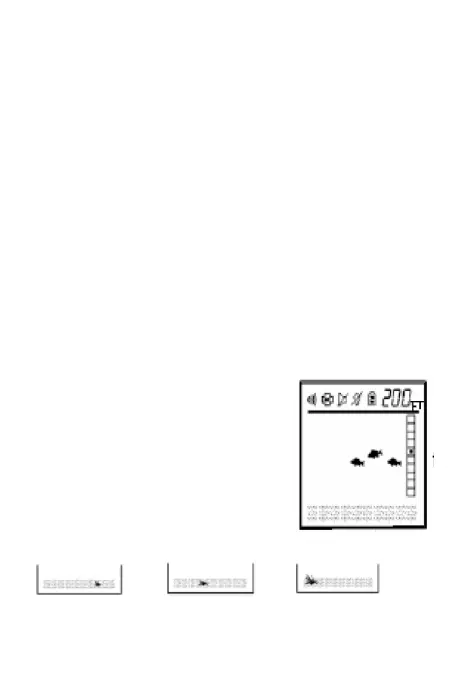
How to figure out the depth of the
fish? This can be done by dividing
the depth reading by 10.
For Example: The depth is 200.0
feet, the fish icon appears in the 5th
box from the top. This means the
fish is 100 feet from the Sonar
Sensor.
Weeds Indicator
A B C
A. Short weeds are depicted by turning on the weeds


 To Next Page