EasyManua.ls Logo

Venterior VT-FF001 - User Manual

Venterior VT-FF001
12 pages
Print Icon
To Next Page IconTo Next Page
Loading...
1
OPERATION MANUAL
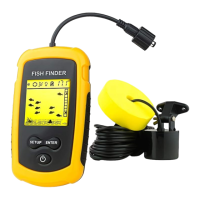
Venterior VT-FF001 Portable Fish Finder
Model Number: VT-FF001 Brand Name: Venterior
Country of origin: China
Read this manual completely before attempting to use
this product. Visit our website or write to
customerservice@venterior.com for further assistance
and technical support.
FCC Warning Statement
This device complies with Part 15 of the FCC Rules.
Operation is subject to the following two conditions: (1)
this device may not cause harmful interference, and (2)
this device must accept any interference received,
including interference that may cause undesired
operation.
Question and Answer IconNeed help?

Do you have a question about the Venterior VT-FF001 and is the answer not in the manual?

Summary

FCC Warning Statement

Introduction to the Fish Finder

Fish Finder Display

Overview of the fish finder's display screen and its indicators.

Turning On;Off and Simulation Mode

Feature Setup

Sensitivity

Explanation of sensitivity settings and their impact on readings.

Backlight

Details on using the backlight feature and its effect on battery life.

Fish Alarm

Information on the fish alarm feature and how to manage it.

Battery Save Mode

Explanation of the battery save mode and its operational impact.

Units of Measure for Depth

Instructions for changing depth measurement units (FT or M).

Fish Location Indicator

How the fish finder indicates detected fish on the display.

Fish Depth Calculation

Method for calculating fish depth based on display readings.

Weeds Indicator

Understanding how different weed types are depicted on the screen.

Rock Indicator

Interpreting indicators for different bottom types like rocks and debris.

How the Fish Finder Finds Fish

Sonar Sensor Float Adjustment

Guide on adjusting the sonar sensor float for optimal performance.

Using the Fish Finder with Float

Step-by-step instructions for using the fish finder with the float assembly.

Using the Fish Finder with Adapter

Instructions for attaching and using the side-scan adapter.

Fishing From a Boat

Ice Fishing

Storing Your Fish Finder

Product Specifications

Frequently Asked Questions (FAQ)

Venterior VT-FF001 Specifications

General IconGeneral
BrandVenterior
ModelVT-FF001
CategoryFish Finder
LanguageEnglish

Related product manuals