EasyManua.ls Logo

Ventev Wirelesspro Dock - User Manual

Ventev Wirelesspro Dock
2 pages
Print Icon
To Next Page IconTo Next Page
Loading...
use the tightening ring to create a firm fit
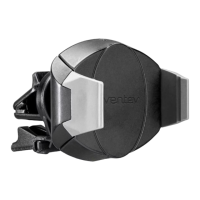
attach mount to wirelesspro:
insert phone by
pushing latches
outwards
insert phone
spring loaded latch fits devices
from 2.13" (54mm) to 4.33"
(110) wide
adjustable latch:
wirelesspro dock installation instructions
adjust
support leg
pinch clip
to open
rotate clip for
vertical vent
blades
vent clip
Question and Answer IconNeed help?

Do you have a question about the Ventev Wirelesspro Dock and is the answer not in the manual?

Summary

Wirelesspro Dock Installation Guide

Attaching the Mount

Secure the mount to the Wirelesspro using the tightening ring for a firm fit.

Adjustable Latch Mechanism

Details on the spring-loaded latch fitting devices from 2.13" to 4.33" wide.

Inserting Your Phone

Instructions for inserting the phone by pushing the latches outwards.

Clip and Support Leg Adjustments

How to pinch the clip to open and rotate for vertical vent blades, plus support leg adjustment.

Ventev Wirelesspro Dock Specifications

General IconGeneral
CompatibilityQi-enabled devices
ColorBlack
Mounting LocationAir vent
Charging StandardQi
Input5V/2A