EasyManua.ls Logo

VentureCraft SounDroid VALOQ - User Manual

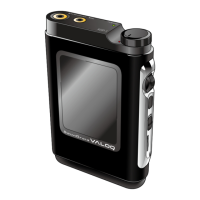
VentureCraft SounDroid VALOQ
15 pages
Print Icon
To Next Page IconTo Next Page
Loading...
User
s Guide
High End Music Player
Equipped with upsampling function
Supports DSD audio source playback
Thank you very much for purchasing the VentureCraft product. Please read this
User
s Guide thoroughly before using the device, and make sure to update the
rmware rst.
Store this in a safe location so it can be referenced when necessary.
CONTENTS
Overview of This Product _________________________________2
Name and Function of Each Part ___________________________3
Charging ______________________________________________4
Home Screen __________________________________________4
Connecting to a PC (Copying Music) ________________________ 5
Listening to Music ______________________________________6
Playing back _______________________________________6
Play screen ________________________________________6
Playlist ________________________________________________ 7
Options Menu List ______________________________________8
Player controls _____________________________________ 8
Audio settings _____________________________________8
Other settings _____________________________________ 9
Language setting ___________________________________ 9
Connecting with Headphones/Earphones __________________10
Standard headphones/earphones _____________________ 10
Headphones/earphones supporting the balance connection
__ 10
Connecting with an External Device _______________________10
Line output ______________________________________ 10
Connecting with an External Device (Cont.) _________________11
Optical digital output _______________________________ 11
Updating the Firmware _________________________________11
Return to Factory Default ________________________________11
Troubleshooting ______________________________________12
Error screen of the internal drive is displayed _____________ 12
The power does not turn on _________________________ 12
Power cannot be turned o __________________________ 12
Pop noise sounds when turning on the power ___________ 12
Major Specications ____________________________________12
Cautions on Use _______________________________________13
Product Support _______________________________________ 15
Trademarks and Registered Trademarks ____________________15

Questions and Answers

Summary

Product Overview and Architecture

SounDroid VALOQ Feature Summary

Details the SounDroid VALOQ as a high-quality music player with advanced audio conversion and playback features.

Core Component Technology

Highlights the use of VERITA AK4137 SRC, VERITA AK4490 DAC, MUSES8820D LPF, and AD8397 HPA for superior audio performance.

Device Identification and Controls

Package Contents List

Lists the items included in the SounDroid VALOQ package, such as the main unit and accessories.

Physical Ports and Indicators

Explains the BAL terminal, PHONE/OPT.OUT terminal, and the PCM/DSD lamp for audio and connectivity.

User Interface Controls

Details the functions of the Volume/power dial, Shuttle switch, Back button, and Lock switch for device operation.

microSD Storage Slot

Describes the microSD card slot for storage and its recommended manufacturers.

Device Charging

Charging Process and Indicator

Explains how to charge the device and the meaning of the 'PCM/DSD' lamp status during charging.

Home Screen Navigation

Selecting Menu Items

Details how to select items in the Home screen list using the Shuttle switch and browse through music hierarchy.

Accessing Playback View

Describes how to access the currently playing track screen from the Home screen.

PC Connection and Music Transfer

PC Connection and File Transfer

Guides users through connecting the device to a PC and transferring music files using drag-and-drop.

Supported Formats and Storage

Lists supported audio file formats and the requirement to format microSD cards in Fat32.

Data Backup Recommendation

Advises backing up audio files before file transfers or firmware updates to prevent data loss.

Music Playback Operations

Playback and Play Screen

Explains how to start playback and the elements displayed on the play screen.

Playback Controls and Operations

Details using the Shuttle switch for playback controls, fast forward/reverse, and accessing the sub-menu.

Shuffle and Repeat Functions

Guides on setting Shuffle and Repeat functions to 'On' via the Player controls menu for customized playback.

Playlist and Equalizer Settings

Playlist Menu Access

Explains that the Playlist menu is accessed by selecting 'Playlist' from the Home screen.

Equalizer Adjustment

Details how to access and adjust equalizer settings, including presets like Classic, Jazz, Pop, Rock, and user settings.

Creating and Managing Playlists

Step-by-step guide on creating new playlists and changing their names by connecting to a PC.

Playlist Management

Playlist Operations

Guides on managing playlist content by adding/removing tracks and adding the current song.

Device Options

Player Controls and Audio Settings

Details settings for Shuffle, Repeat, Click interval, Equalizer, and other player control functions.

Analog Output Configuration

Explains SRC output mode settings for internal sampling rate converter, with notes on DSD output and PCM conversion.

Options Menu List (Cont.)

Output and Volume Settings

Details settings for output modes, bit depth, filters, SRC output, gain, and L/R balance.

Other Settings

System Configuration and Information

Includes settings for backlight, power timers, firmware updates, drive formatting, legal notices, and language.

Headphone and Earphone Connections

Headphone Connection Types

Explains connecting standard headphones to PHONE/OPT.OUT and balanced ones to the BAL terminal.

Connection Cautions

Provides cautions regarding incompatible plugs, simultaneous connection, and modifications for headphone connections.

External Device Connectivity

Line Output and Cautions

Explains line output setup, cautions, and notes the fixed maximum output level.

External Device Connectivity (Cont.)

Optical Digital Output

Explains connecting the optical digital output via the PHONE/OPT.OUT terminal and its settings.

Firmware and System Reset

Firmware Update Procedure

Provides instructions for downloading the update file, saving it to microSD, and performing the update via the device menu.

Factory Reset Procedure

Details the process of returning the device to factory default settings by formatting the internal drive.

Troubleshooting Guide

Drive Errors and Power Issues

Guides users to format drives for errors and provides solutions for device power on/off problems.

Audio Noise Explanation

Explains that pop noises during power on are normal due to minimal muting circuits prioritizing audio quality.

Major Specifications

Music Playback and Electrical Specs

Lists specifications for memory, file formats, sampling rates, bit depths, headphone output, and S/N ratio.

Specifications and Usage Precautions

Device Specifications Summary

Lists specifications for display resolution, battery capacity, charging, USB type, and device dimensions/weight.

Battery Disposal and Recycling

Instructs users to dispose of the built-in battery according to local laws and regulations, not with household waste.

General Safety Precautions

Lists safety precautions to avoid risks like fire and electric shock, including avoiding high humidity and direct sunlight.

Maintenance and Repair Guidelines

Instructs on cleaning with a soft cloth, not disassembling the product, and cautions about battery lifespan and charging practices.

Usage Precautions (Cont.)

Environmental Compliance (China RoHS)

Presents a table indicating the presence of hazardous substances in components according to China RoHS standards.

EU Battery Disposal Information

Explains EU regulations for recycling electronics and batteries separately from household waste.

Product Support and Legal Information

Contact and Support Details

Provides contact details for VentureCraft Inc. Gadget Business Division, including website, address, hours, and contact methods.

Disclaimer of Liability

Lists disclaimers for damages caused by natural disasters, misuse, third-party actions, or failure to follow the user guide.

Trademarks and Registered Trademarks

Trademark Notice

States that system and device names are generally registered trademarks of their respective manufacturers.

VentureCraft SounDroid VALOQ Specifications

General IconGeneral
AmplifierTexas Instruments TPA6120A2
Headphone Output3.5mm
Battery LifeUp to 10 hours
Supported FormatsFLAC, ALAC, WAV, AIFF, AAC, MP3, DSD
StorageMicroSD card