EasyManua.ls Logo

Venue tetra control - User Manual

Venue tetra control
20 pages
Print Icon
To Next Page IconTo Next Page
Loading...
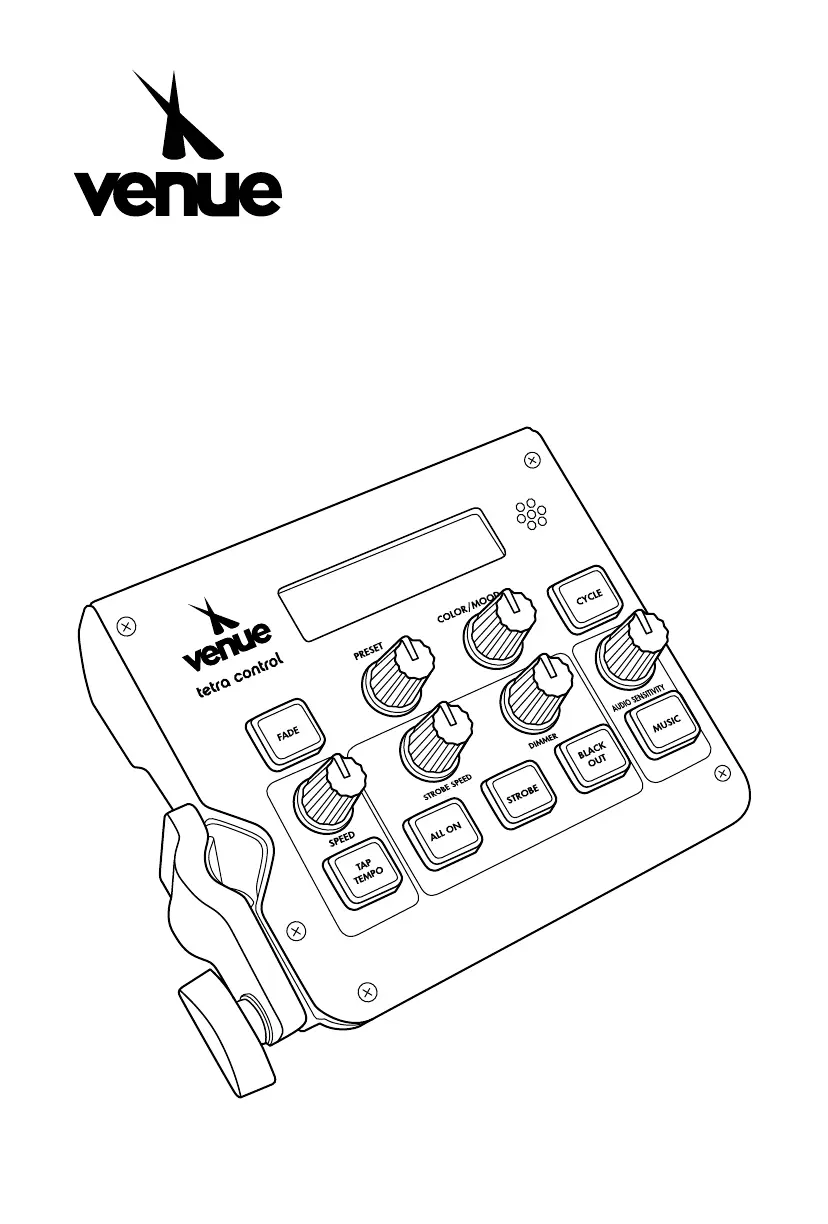
tetra control
INTERACTIVE REAL-TIME DMX WASH
LIGHTING CONTROLLER WITH FOOTSWITCH
www.venuelightingeffects.com

Questions and Answers

  • B
    bethany87Aug 4, 2025
    What to do if Venue DJ Equipment fixture is not responding to DMX?
    • S
      Sandra BauerAug 5, 2025
      If your Venue DJ Equipment fixture isn't responding to DMX, there might be several reasons. First, verify the DMX addressing via the Control Display. Then, check the DMX cables for any damage and ensure they are properly connected. Also, confirm the polarity switch settings on the controller. If the issue persists, the DMX input or the Main PCB might be faulty and require replacement.
  • S
    Shelley ReevesAug 12, 2025
    How to fix loss of signal in Venue tetra control DJ Equipment?
    • M
      mercersydneyAug 12, 2025
      If you're experiencing a loss of signal with your Venue DJ Equipment, ensure you are using only DMX compatible cables. Install a terminator to prevent bouncing signals. If the cable is long or the signal is weak, install an amplifier after a fixture with a strong signal. For installations with many fixtures, use an optically coupled DMX splitter after unit #32. Keep DMX cables separate from power cables to avoid interference.
  • T
    Travis LoganAug 20, 2025
    Why does the breaker/fuse keep blowing with my Venue tetra control DJ Equipment?
    • P
      Patrick Jackson Jr.Aug 20, 2025
      If the breaker or fuse keeps blowing in your Venue DJ Equipment setup, it could be due to an excessive circuit load. Check the total load placed on the electrical circuit. Alternatively, there might be a short circuit along the power wires. Inspect the electrical wiring, both internal and external, for any shorts.
  • D
    Debbie AustinAug 28, 2025
    What to do if my Venue tetra control does not power up?
    • N
      Nicolas ThorntonAug 28, 2025
      If your Venue DJ Equipment device isn't powering up, first, check for power on the mains. If power is available, inspect the power cord to ensure it is properly connected and not loose.

Summary

INTRODUCTIONS

Control Panel Functions

Details the functions of buttons and knobs on the control panel.

SETUP

AC Power

Information on power requirements and connection.

Signal Linking

How to daisy-chain multiple fixtures using DMX cables.

DMX Addressing

Explains DMX addressing for lighting banks.

SAFETY INSTRUCTIONS

General Safety Precautions

Important safety information for product usage.

OPERATING INSTRUCTIONS

Control Panel Buttons

Details functions of specific buttons on the control panel.

Control Panel Functions (Continued)

Further details on control panel buttons and knobs.

Footswitch Operation

Footswitch Functionality

Describes how the footswitch controls the unit.

MODES OF OPERATION

Show Mode

Default mode for selecting presets and moods, controlling tempo.

APPENDIX

FIXTURE LINKING

Explains serial data link requirements for multiple fixtures.

General Maintenance

Procedures for cleaning and maintaining the unit.

General Troubleshooting

Common issues and their possible solutions.

WARRANTY

Venue tetra control Specifications

General IconGeneral
BrandVenue
Modeltetra control
CategoryDJ Equipment
LanguageEnglish