
 Need help?
Do you have a question about the VENUS CONCEPT NeoGraft 2.0 and is the answer not in the manual?
Information on the use and scope of the manual, document conventions, and symbols.
Details the content covered in each chapter of the user manual.
Explains the meaning of warning, caution, and note messages used in the manual.
Glossary of symbols used in the manual and on the product.
Overview of system safety requirements and operating procedures.
Specifies the device's purpose as a surgical instrument for hair transplantation.
Highlights the need for proper clinical and technical training for users.
Outlines conditions under which the manufacturer is not liable for damages or injuries.
Provides essential safety precautions for operating and maintaining the system.
Details safety measures related to the system's electrical and mechanical aspects.
Addresses risks of fire and precautions to prevent them.
Guidelines for the proper disposal and recycling of the medical device.
Information regarding the system identification label affixed on the console.
Provides contact details for inquiries and support.
Specifies that system installation must be performed by a qualified technician.
Details the necessary mains power supply specifications for system connection.
Outlines conditions for optimal operation, including temperature and humidity.
Instructions for inspecting the system upon delivery.
Step-by-step guide for safely unpacking the NeoGraft system.
Lists all main items and accessories included in the system package.
Procedure for attaching the articulated arm to the system console.
Steps to mount the handpiece tray onto the articulated arm.
Instructions for inserting handpiece holders into the handpiece tray.
Guide for attaching the cup holder to the handpiece tray.
Procedure for placing the cup into the cup holder.
Instructions for connecting the left and right footswitches to the system.
Steps for assembling and placing the waste jar on the system.
Guide for connecting the filter assembly to the system and waste jar.
Procedure for connecting the extraction handpiece to the system.
Steps for connecting the incision handpiece to the system.
Procedure for assembling and connecting the implantation handpiece.
Instructions for connecting the system to an electrical power supply.
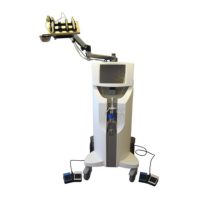
Overview of the NeoGraft 2.0 system as a hair transplantation device.
Identifies and illustrates the main external components of the NeoGraft 2.0 system.
Description of the system console as the main enclosure for system components.
Details the touch screen's role as the primary user interface and communication tool.
Description of the waste jar as the container for collected particles and fluids.
Explains the filter's function in preventing waste penetration into the system.
Details the handpiece tray's installation and function for convenient positioning.
Describes the two footswitches and their pedal functions for system control.
Explains the function of electrovalves in controlling air flow via footswitches.
Locates and describes the function of the system's power switch.
Details the components and process of the extraction handpiece.
Explains the function and use of the incision handpiece for creating recipient slits.
Describes the implantation handpiece's pneumatic system and graft insertion process.
Procedures for powering the NeoGraft 2.0 system on and off.
Steps for selecting a user account from the login screen.
Instructions for logging into and out of the system with user credentials.
Guide to entering patient details like number, gender, area, and age group.
Details the Donor Site treatment screen elements and controls.
Details the Recipient Site treatment screen elements and controls.
Instructions for performing graft extraction using the system.
Procedure for making recipient site slits using the incision handpiece.
Guide to calibrating the implanter head and performing graft implantation.
Steps to return to the patient profile screen from the treatment screen.
Procedure for concluding the treatment session and finalizing the process.
Overview of features available in the Settings screen for personalization.
Procedures for adding, renaming, enabling/disabling, and removing user accounts.
Guide to extending system activation time via an activation code.
Instructions for activating purchased grafts using a 16-digit code.
Procedure for selecting the preferred language for the system interface.
Information on accessing the password-protected technician mode.
Instructions to access and view system software and hardware information.
Guidelines for cleaning the system's external parts, avoiding harsh detergents.
Detailed steps for cleaning the waste jar and its components.
Procedures for disconnecting and cleaning the extraction handpiece components.
Instructions for disconnecting and cleaning the incision handpiece body and blade holder.
Steps for disconnecting and cleaning the implantation handpiece components.
Procedure for cleaning the cup using an ultrasonic bath.
Guidelines for steam sterilization of various system components.
Instructions on when and how to replace the hydrophobic filter.
Procedure for replacing the nozzle on the extraction handpiece contra-angle head.
Guide for replacing the yellow ring and/or seal on the implantation handpiece head.
Introduction to troubleshooting, suggesting contact with service representative if issues persist.
Table detailing common system problems, their possible causes, and solutions.
Technical specifications including dimensions, weight, electrical requirements, and operating conditions.
Table listing approved accessories with their designation, reference, manufacturer, and EC mark.
Overview of the NeoGraft 2.0 system for hair transplantation.
Specifies the system's use as a surgical instrument for hair transplantation.
Lists conditions and factors that contraindicate the use of the NeoGraft system.
Highlights critical safety warnings for physicians performing the procedure.
Advises caution when treating patients with specific systemic disorders or conditions.
Describes potential side effects and complications associated with the procedure.
Emphasizes the importance of patient consultation prior to surgery.
Details the steps involved in preparing the donor site and the overall treatment process.
Explains the technique for using the extraction handpiece to harvest grafts.
Describes the technique for using the incision handpiece to create recipient slits.
Explains the technique for loading and ejecting grafts using the implantation handpiece.
Refers to Chapter 7 for procedures on cleaning and sterilizing system components.
Provides recommendations for aftercare following hair transplantation.
Outlines the conditions and terms of the device warranty provided by the distributor.
Form to acknowledge receipt and understanding of warranty and usage terms.
 General
| Brand | VENUS CONCEPT |
|---|---|
| Model | NeoGraft 2.0 |
| Category | Medical Equipment |
| Language | English |

 To Next Page