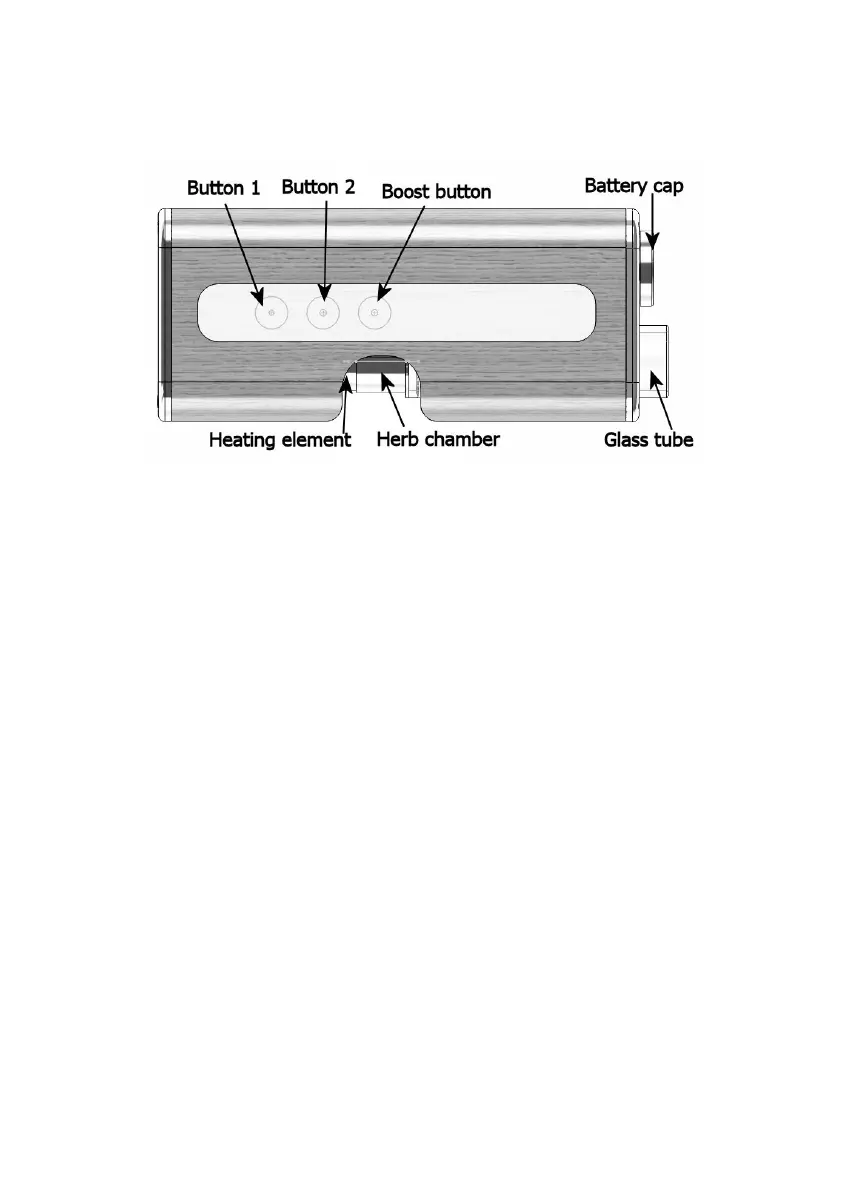
Filling the herb chamber: Slide the glass tube outwards to
release the herb chamber. Fill the chamber. Tightly packed
chamber reduces performance. If you don’t want to fill the
chamber completely, you can adjust the depth of the chamber
by sliding the cooling unit in the glass tube. The cooling unit
slides inside the chamber as much as you wish. When the
chamber is placed back on the heating element, press down
the glass tube for a good contact with the chamber.
Start the heating: Place your finger on the boost button
and hold for a second (top button on the lighter coloured
wood). Apollo will vibrate and red LED activates to signal it
woke up from sleep mode and is ready for the turn on gesture.
Lift up your finger and swipe upwards from the bottom of
touch sense area. Apollo will turn on and starts to heat up. 2
LEDs will be active during the heat up period and once the
vape is ready the second led will turn off.



 To Next Page