V10 – V10 PRO – V12 ULTRA – ANDROID Firmware manual
English / Deutsch / Nederlands
Packaging content / Verpackungsinhalt / Inhoud verpakking
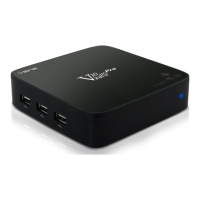
1. VENZ TV BOX
2. POWER ADAPTER / STROOM ADAPTER / NETZTEIL
3. HDMI CABLE / HDMI KABEL / HDMI KABEL
4. REMOTE CONTROL / AFSTANDSBEDIENING / FERNBEDIENUNG
5. 2x AAA BATTERIES / 2x AAA BATTERIJEN / 2x AAA BATTERIEN
6. QUICK START GUIDE / SNELSTARTGIDS / SCHNELLSTARTANLEITUNG
GETTING STARTED / BEGINNEN / ANFANGEN
A. CONNECTION SCHEME / AANSLUITSCHEMA / VERBINDUNGSSCHEMA
ENG
1. Connect one end of the HDMI cable to the VENZ box and the other end to a free HDMI port on your TV.
2. Plug-in the power adapter to the VENZ box
3. Connect the power adapter to an AC outlet, VENZ box is now ready to use.
*In case the TV has no video signal please check TV channel configuration, for more information please check the
TV manual.
*For the best internet experience we recommend to use the LAN port (LAN cable not included)
*V12 Ultra operation; when connecting power put the power switch at back to ON.
NL
1. Sluit één kant van uw HDMI kabel aan op de VENZ box en de andere kant van de HDMI kabel sluit u aan op
een vrije HDMI poort van uw TV.
2. Sluit de stroom adapter aan de op de VENZ box
3. Stop de stekker van de stroom adapter in het stopcontact, de VENZ box is nu klaar voor gebruik.
*Als de TV geen beeld geeft controleer dan de kanaalinstelling van de TV, kijk voor meer informatie in de TV
handleiding.
*Voor de beste internet ervaring adviseren wij u om de LAN verbinding te gebruiken (LAN kabel is niet
inbegrepen).
*V12 Ultra gebruik; wanneer u de stroom aansluit zet de schakelaar achterop op ON.

 Need help?
 General

 To Next Page