21
CONNECT YOUR B-PRO WITH
A 2ND PHONE
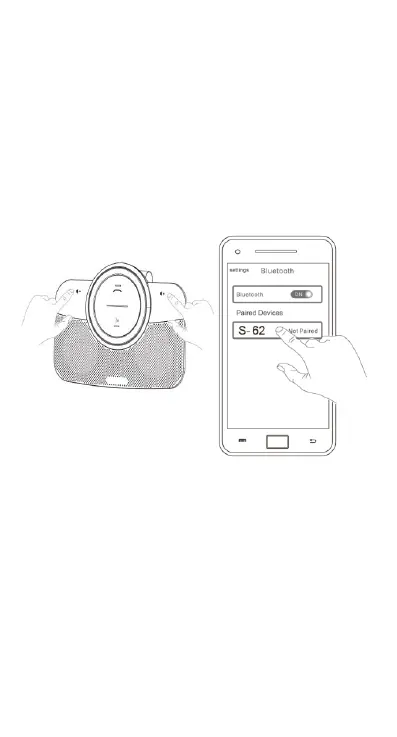
1. Turn on the B-PRO and connect it to the first
phone
2. Press the Volume + and Volume – buttons
simultaneously for 2 seconds, the B-PRO will then
disconnect on the first phone.
3. Activate Bluetooth on your second phone and
select the S-62 device. (If you are prompted for a
code, enter 0000).
4Select the S-62 on the first phone to reconnect it


 To Next Page