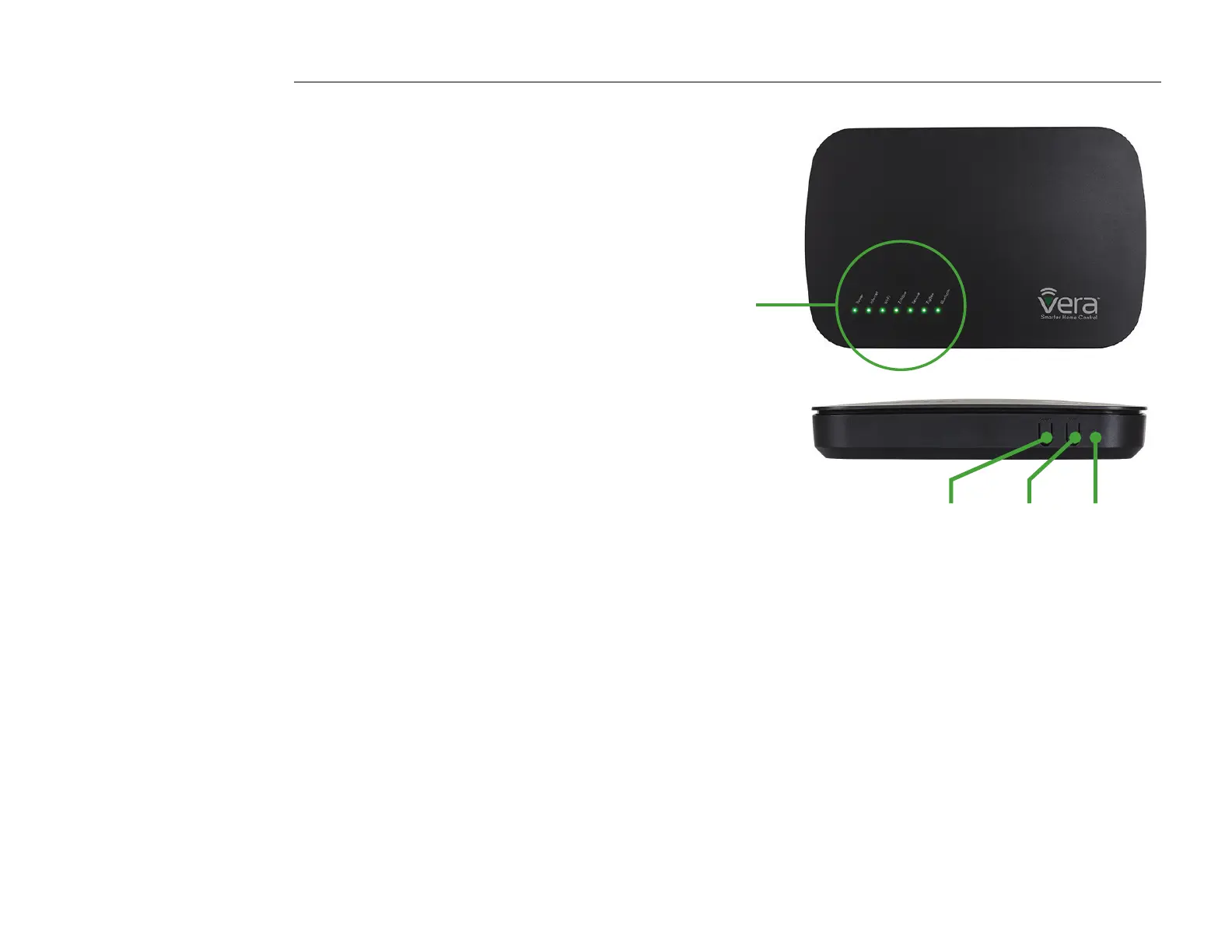
Power
Internet
Wi-Fi
Z-Wave
Service
ZigBee
Bluetooth
VeraPlus Buttons
WPS Mode
These instructions are for manually starting WPS Mode (Figure 2-1).
• Press the Select button. The Wi-Fi light will begin blinking.
• Press the Sync button. This activates WPS Mode.
Note: Unit will stay in WPS mode for two minutes.
These instructions are for manually exiting WPS Mode.
• While the Wi-Fi light is blinking, long press (3 seconds)
on the Sync button. The Wi-Fi light will stop blinking and will stay lit.
Z-Wave Include/Exclude Mode
During normal installation of Z-Wave devices you do NOT need to use
these buttons. These instructions are for manually starting Z-Wave
Include and Exclude Modes (Figure 2-1).
• Press the Select button.
• Press the Select button again. The Z-Wave light will begin blinking.
• For Include Mode, press the Sync button briey (less than 1 second).
• For Exclude Mode, press and hold the Sync button for at least
2 seconds, then release.
Controller Reset
Reset to Network defaults - Press the Reset button 3 times in 6 seconds.
Factory Reset - Press the Reset button 6 times in 6 seconds.
The Controller will reboot.
Note: Please use this procedure only in the event that the system primary
controller is missing or otherwise inoperable (Figure 2-1).
Figure 2-1: VeraPlus - Front View
Select Sync Reset


 To Next Page