

EasyManua.ls Logo

Verex Monitor XL - User Manual

Verex Monitor XL
54 pages
Print Icon
To Next Page IconTo Next Page
Loading...
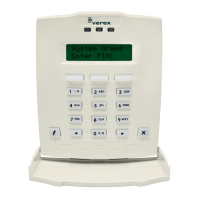
LCD Keypad User's Guide
rev1.2
Attention: Security Representative / Installer,
Please give this guide to the customer before beginning work on the system.

Table of Contents

Question and Answer IconNeed help?

Do you have a question about the Verex Monitor XL and is the answer not in the manual?

Summary

Alarms and Protection Control

Dealing with Alarms

Procedures for responding to alarm conditions on the keypad.

Using Emergency Keys

How to activate fire, police, or general emergency alarms.

Arming and Disarming System Areas

Turning Protection ON, STAY, or Viewing Arming-Level

Steps to arm the system in different modes or check current status.

Turning Protection OFF

How to disarm the system and turn off protection for areas.

Status Checking and Item Control

Checking the System Status

How to view the status of monitored conditions for the control unit.

Checking Sensor Status

How to view the status of individual sensors (points) and areas.

Administration and Maintenance Tasks

Adding a User to the System

Steps for adding new users with specific authorities to the system.

System Operations and Logging

System Testing Procedures

Testing Monitored Sensors (Walk Test)

How to perform a walk test to verify sensor functionality.

Testing Panic Buttons (Hold-up Test)

How to test the system's hold-up or panic alarm devices.

Testing Sirens (System Test)

How to perform a system test to check siren and keypad functionality.

Reference and Troubleshooting

Error Messages and Trouble Indications

Explanations of keypad display errors and trouble light indicators.
Verex Monitor XL Specifications

General IconGeneral
BrandVerex
ModelMonitor XL
CategoryKeypad
LanguageEnglish