
EasyManua.ls Logo

veri-Q BALANCE PRO - User Manual

veri-Q BALANCE PRO
48 pages
Print Icon
To Next Page IconTo Next Page
Loading...
MGD-1002A
USER MANUAL
Blood Glucose Monitoring System
MiCoBioMed Co., Ltd.
116, Gongdan 1-ro, Anseong-si, Gyeonggi-do, Korea
www.micobiomed.com
Made in Korea
VERI-Q is trademarks of MiCoBioMed.
All other product names and trademarks are the property of their respective owners.
MT Promedt Consulting GmbH
Altenhofstrasse 80, 66386 St. Ingbert, Germany
0120
2016 MiCoBioMed. All rights reserved.
Lancet : Sae Han Med Corp.
Na-dong, Ga-dong, 331 Seongseok-ro, Ilsandong-gu, Goyang-si, Gyunggi-do, Korea
Lancing device : SteriLance Medical (Suzhou) Inc.
No. 68 Litanghe Road, Xiangcheng Suzhou 215133 China

Questions and Answers

Summary

Welcome

Intended Use

Specifies the purpose and limitations of the blood glucose monitoring system.

Application

Clarifies the use of test strips and the system's role alongside healthcare.

Test Principle

Special Features

Cautions

Usage and Storage

Details critical safety precautions for operating and storing the monitoring system.

MGSC Series Test Strips

Safety Information

System Components

VERI-Q BALANCE PRO Blood Glucose Monitoring System

Lists the main components provided in the system kit.

System Introduction

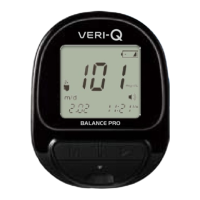
VERI-Q BALANCE PRO

Illustrates the front and back views of the meter, labeling key parts.

VERI-Q MGSC Series Test Strip

Display

The Test

Disinfection Before Test

Details the necessary hand cleaning steps before performing a glucose test.

Insert Glucose Test Strips

The Method of Blood Collection

Add Blood Sample

Proper Blood Sample

Processing the Test Result

Special Results

The Use of Function Buttons

Checking Test Results

Details how to access and review stored test results using the 'M' button.

Setting Mode Configurations

Setting the Month

Describes how to set the month using the meter's buttons.

Setting the Date

Describes how to set the date using the meter's buttons.

Setting the Time Format

Explains how to select between 12-hour and 24-hour time formats.

Configure Meter Settings

Setting the Hour

Details how to set the hour for the meter's clock.

Setting the Minutes

Details how to set the minutes for the meter's clock.

Setting the Year

Explains how to set the current year on the meter.

Setting the Average days

Describes how to set the number of days for average result calculation.

Meter Sound Settings

Setting the Sound

Explains how to enable or disable the meter's sound alerts.

Meter Memory Settings

Setting the Memory

Guides on how to manage stored test results, including deletion.

Setting Complete

Special Results

The mark for control solution test results

Explains how to mark and store control solution test results.

Special Results Marking

The mark for results after meal

Describes how to mark test results taken after a meal.

The mark for results after medicine

Describes how to mark test results taken after medication.

Replacing Battery

Cleaning VERI-Q BALANCE PRO

Troubleshooting

Error Messages

Lists common error codes, their descriptions, and recommended solutions.

Hi, Lo Messages

Troubleshooting Issues

Thermometer Mark and Meter Functionality

Covers issues related to the thermometer mark and meter not turning on.

Meter and Result Issues

Meter Not Working After Blood Application

Explains why the meter might not work after applying blood.

Abnormal Test Results

Lists potential causes and checks for abnormal test results.

Warranty

Technical Specification

Diagnostic System

Control Solution Test (VERI-Q control solution is an optional product)

Explains how to perform a control solution test to verify meter and strip accuracy.

Diagnostic System Checks

Check Strip Test (check strip is an optional product)

Describes how to use a check strip to verify the meter's functionality.

Important Information

Alternative Site Testing (AST)

Discusses using alternative sites for testing, their limitations, and when fingertip testing is preferred.

AST Sampling Guidelines

Alternative Test Site Sampling

Provides guidelines on when to use alternative site sampling and when to avoid it.

AST Sampling Steps

Performing Alternative Site Sampling

Details the steps for choosing a puncture site and obtaining a blood sample from alternative locations.

Symbols

Disposal of Used Electrical & Electronic Equipment

veri-Q BALANCE PRO Specifications

General IconGeneral
Blood SampleCapillary whole blood
Measuring Time5 seconds
Operating Temperature10 - 40°C (50 - 104°F)
Operating Humidity10 - 90% RH
Sample Volume0.5 μL
Battery LifeApproximately 1, 000 tests
Measuring Range20-600 mg/dL