990-03558-00 Rev B
DCO-00245
NOTE: Only use the provided devices and cords when connecting to the Study Hub.
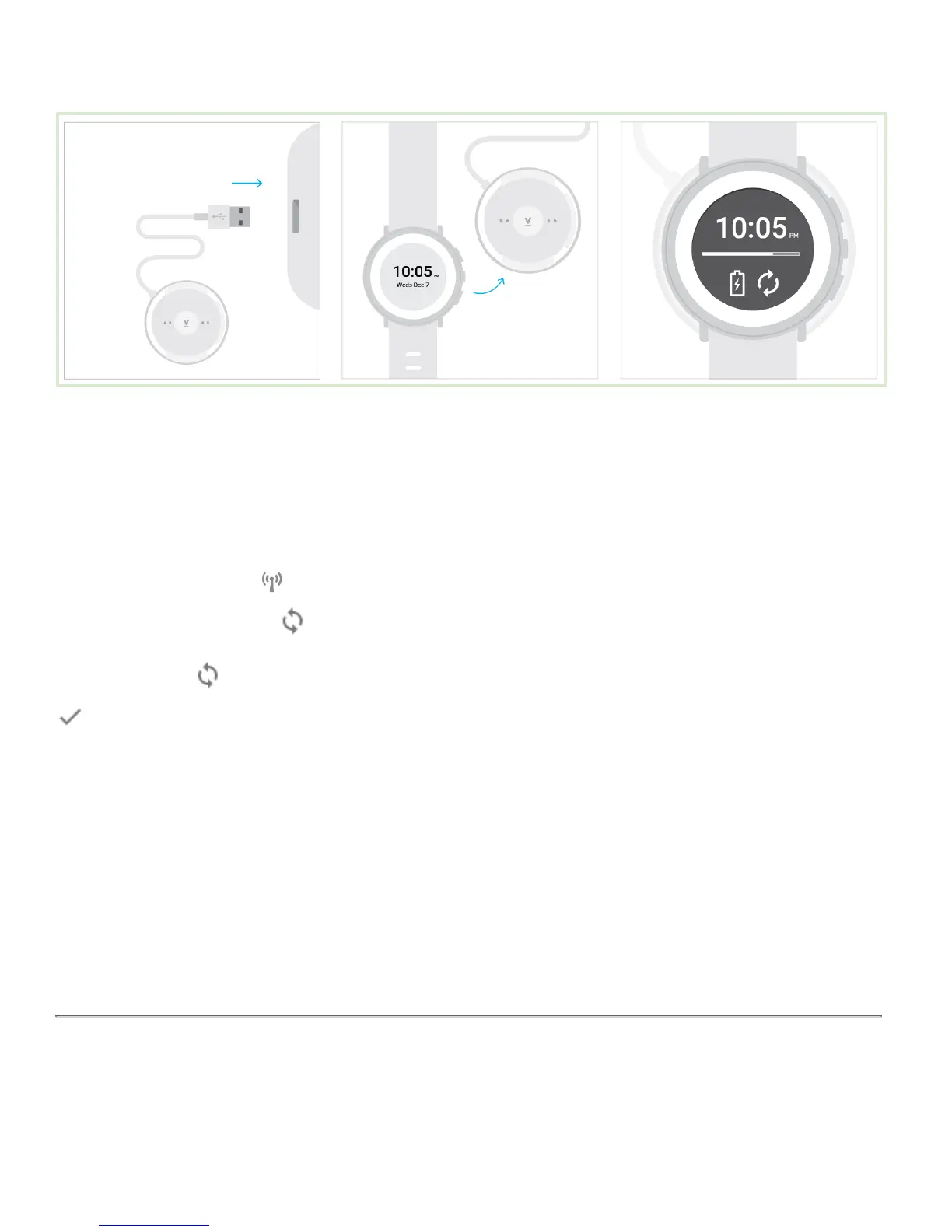
Charge and sync with Study Hub
To start using the Study Hub, just plug it in. There’s no button to turn it on or off.
When the connection symbol changes to solid white, it’s ready to sync. During charge and sync, the Study Hub will
show a white flashing sync icon .
When the sync icon changes to solid white, syncing is complete. The Study Watch device will display a checkmark
when charge and sync is complete.
Start a charge & sync routine
It's a good idea to sync and charge regularly. Choose a time of day, like:
● During your morning shower
● While you eat lunch or dinner
● An hour before bed
Put on Study Watch


 To Next Page
 Loading...