3
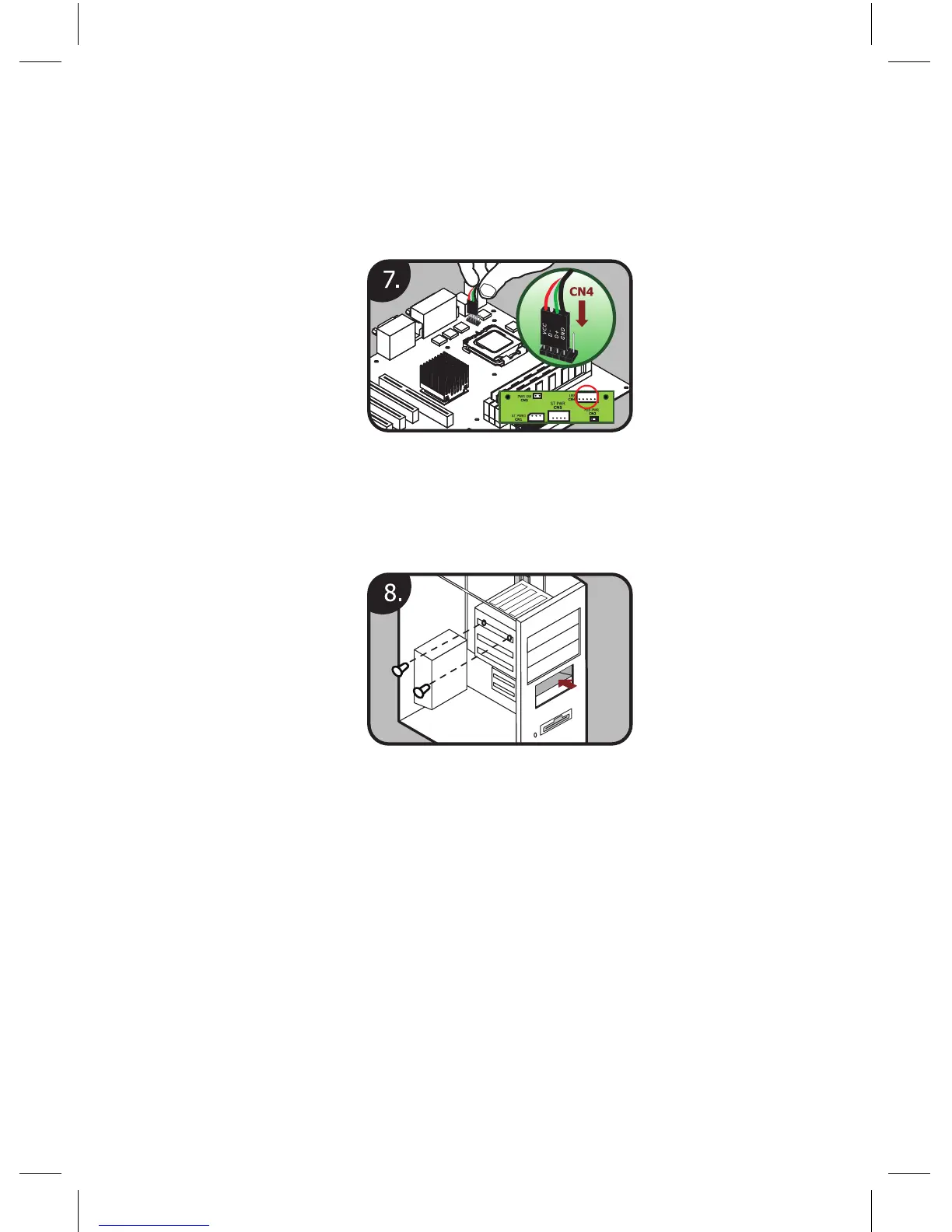
7. Connect the USB cable of CN4 to either a USB pin header on
the motherboard or an external USB port. If you use a mother-
board header, check the motherboard manual to make sure
you have the pinout correct. On the USB adapter cable, the
black wire is ground (–) and the red wire is power (+5V).
8. Insert the Multimedia Station Basic receiver into the exter-
nal 3.5” drive bay and secure it with the supplied mounting
screws.
2. Software Installation
Please insert the installation CD and then install the iMEDIAN HD soft-
ware. If you see the “Auto Update” message after your installation, please
update to the newest version. After the installation, you may need to
tune the settings of your system for optimal performance.
Please visit www.soundgraph.com for more information on how to install.



 To Next Page