20 - mount mount - 21
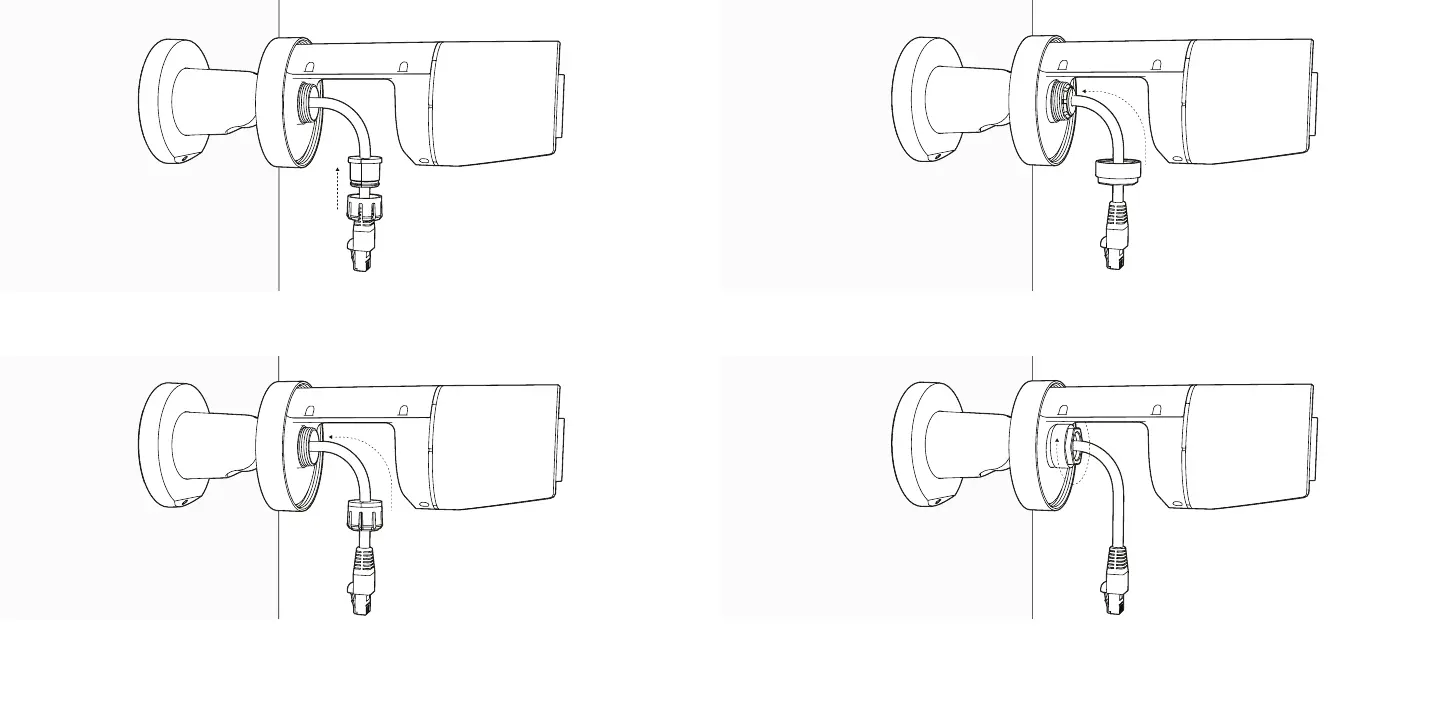
Slide the cable gland assembly into pass through, seating it in position. Gently tighten down the metal nut by hand. You should still be
able to move the cable back and forth through the gland.
Slide the metal nut over the RJ45 connector and engage the
threads on the pass-through.
Firmly push the rubber seal and plastic collar together.



 To Next Page