3
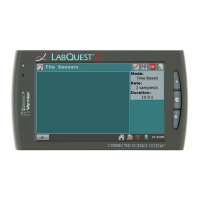
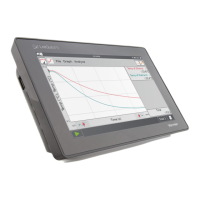
Remove the LabQuest from the charger and power it up. If the battery shows an
adequate charge, go ahead and use the LabQuest. However, you should monitor
the unit to see if this continues to be a problem.
If LabQuest battery indicator shows that the battery is not charged, try charging
it again. If the battery continues to not charge, the battery may be defective.
The LabQuest charges with its individual AC adapter but not with the charging
station.
There may be connector problems. Inspect the contacts on the charging slot and
the LabQuest. If necessary, clean the contacts with a soft brush or with air.
Verify that the LabQuest properly fits in the compartment slot and that nothing
is preventing it from fitting correctly.
Disposal Instruction
When disposing of this electronic product, do not treat it as household waste. Its
disposal is subject to regulations that vary by country and region. This item should
be given to an applicable collection point for the recycling of electrical and
electronic equipment. By ensuring that this product is disposed of correctly, you help
prevent potential negative consequences on human health or on the environment.
The recycling of materials will help to conserve natural resources. For more detail
information about recycling this product, contact your local city office, your disposal
service or the place where you purchased it.
The symbol, show here, indicates that this product must not be disposed of in a
standard waste container.
Warranty
Vernier warrants this product to be free from defects in materials and workmanship
for a period of five years from the date of shipment to the customer. This warranty
does not cover damage to the product caused by abuse or improper use.
4
Vernier Software & Technology
13979 S.W. Millikan Way Beaverton, OR 97005-2886
Toll Free (888) 837-6437 (503) 277-2299 FAX (503) 277-2440
info@vernier.com www.vernier.com
Rev 7/08/15
Vernier LabQuest is our registered trademark in the United States.
Printed on recycled paper


 To Previous Page
 Loading...