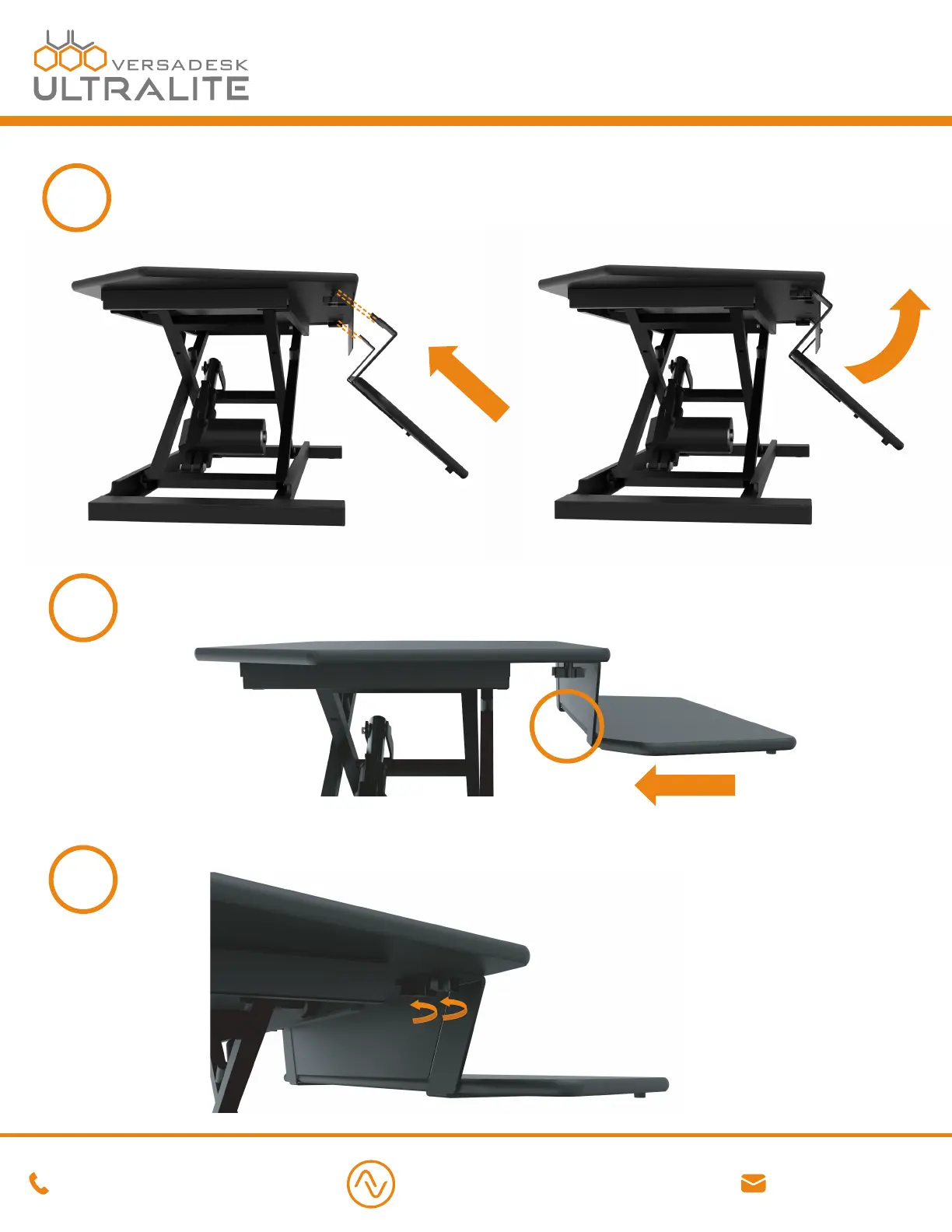
Secure the side brackets to the top surface by fully tightening all 4 thumb screws.
Slide the keyboard tray brackets into the gap between the thumb screws and the top surface.
Make sure the keyboard tray is all the way in and the end of the keyboard tray is sitting under
the middle bracket.
6
5
4
Pick up the keyboard surface at an angle, align the slots on the side brackets to meet the
loosened thumb screws on both sides, passing the brackets behind the front plate until they
touch the underside of the top surface. Once the slots are right next to the thumb screws,
angle the keyboard surface back to a horizontal position.
VERSA DESK
®
1 (800) 465-1660
support@versadesk.com
Assembly Instructions


 To Previous Page