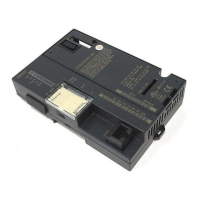
Compatibility
• To be used in an expansion rack, analog modules IC200ALG320,
321, 322, and 432 must be revision B or later. Analog modules
IC200ALG430 and 431 that are used in expansion racks must be
revision C or later.
• This PROFIBUS NIU is compatible with the AS-i Network Master
module.
• Functional operation of discrete outputs has changed from
previous releases. When upgrading firmware in an existing
module, it may be necessary to alter the application program to
accommodate this difference. Refer to the section Output
Defaults for more information.
Upgrading Previous Firmware Versions
This firmware release replaces all previous versions. The version 2.22
firmware is backward-compatible with all previous module versions of
the PROFIBUS NIU. An upgrade is available at support.ip@ge.com
and can also be ordered on disk (order number 44A748012-G05). All
firmware upgrades require cable IC200CBL002, which connects the
module to the personal computer used to perform the upgrade.
Output Default/Hold Last State Operation
Failure to account for the DEFAULT/HOLD LAST STATE function
of outputs could cause an unexpected equipment operation
possibly resulting in personal injury or property damage.
For an Output Module Configured to Default
Outputs go to their configured default state when communication
is lost with the PROFIBUS master. Outputs go to zero when the
PROFIBUS master transitions from “Operate” to “Clear” mode.
With a PLC PROFIBUS master, the transition from “Operate” to
“Clear” mode occurs when the PLC CPU transitions from “Run” to
“Stop” mode.
Output Module Configured to Hold Last State
Outputs hold their last state when communication is lost with the
PROFIBUS master. Outputs go to zero when the PROFIBUS
master transitions from “Operate” to “Clear” mode. With a PLC
PROFIBUS master, the transition from “Operate” to “Clear” mode
occurs when the PLC CPU transitions from “Run” to “Stop” mode
Operating Notes/Restrictions
• The PROFIBUS NIU is limited in the amount of configuration it
can accept for I/O modules on it station. The maximum number
of configuration identifiers allowed is 64. It is possible to exceed
that maximum when using expansion racks. It is important to
calculate the number of configuration identifiers required to
configure a PROFIBUS NIU system to determine if the system is
within this limit. This can be done by summing the configuration
identifiers for each I/O module in the station as listed in the
PROFIBUS NIU User Manual. If the configuration size is
exceeded, the PROFIBUS NIU will flash an error code 0x41.
• When performing a firmware upgrade on an intelligent I/O
module in the NIU station, the controller should be put into stop
mode, or the network cable should be removed from the NIU.
• The main power supply for an NIU station and any booster power
supplies that are used should be power-cycled together. They
should be supplied by the same power source.
• If the PROFIBUS Watchdog timer expires on a PROFIBUS NIU
that is reporting extended diagnostic information to a PROFIBUS
master (the PROFIBUS NIU is faulted), the extended diagnostic
information is not reported to the master after the timeout. The
PNIU remains in a faulted state but reports to the PROFIBUS
master that it has no extended diagnostic information (however,
the correct fault information is reported via the NIU’s
Status/Control Bytes.). This condition persists until either the
PNIU’s fault table is cleared, or the current fault is read from the
Status/Control Bytes.

 Need help?
 General

 To Next Page