EasyManua.ls Logo

VeryFitPro ID153 - User Manual

VeryFitPro ID153
31 pages
Print Icon
To Next Page IconTo Next Page
Loading...
ID153
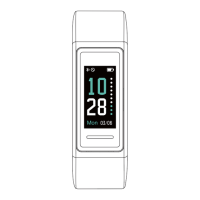
Fitness Tracker
User Manual
Thank you for purchasing our products. This manual addresses
the safety guidelines, warranty, and operating instructions.
Please review this manual thoroughly before operating your
device.
Question and Answer IconNeed help?

Do you have a question about the VeryFitPro ID153 and is the answer not in the manual?

Overview

This document describes the ID153 Fitness Tracker, a device designed to help users monitor their daily activity, heart rate, and sleep patterns. It offers a range of functions and features to support a healthy lifestyle.

Function Description

The ID153 Fitness Tracker is primarily designed for tracking various aspects of a user's physical activity and well-being. Its core functions include:

  • Daily Activity Tracking: The tracker records all-day activity data such as steps taken, distance covered, calories burned, and active minutes. Users can view detailed step data by holding the touch key for 2 seconds and tap to flip through the data.
  • Heart Rate Monitoring: It automatically and continuously tracks real-time heart rate. Users can view detailed heart rate data within the associated app. The tracker begins monitoring heart rate automatically after 1 second of entering the heart rate interface. Before correct data is detected, it shows "--", and then displays specific data once detected. For accurate readings, it's recommended to wear the tracker higher on the wrist and slightly tighter during exercise. Automatic heart rate monitoring is enabled by default but can be disabled/enabled in the app under "Device" page → "Heart Rate Detection".
  • Stopwatch: The tracker includes a stopwatch mode for timing workouts. Users can enter the stopwatch interface by holding the touch key for 2 seconds, tap to start/pause, and hold for 2 seconds to exit.
  • Alarm Setting: Users can set alarms through the VeryFitPro app to receive vibrations from the tracker for wake-up calls, important dates, meetings, or interviews. Alarms are set in the app under "Device" page → "Alarm Alert", where users can add, set type, repeat, and time, then save. Alarms can be enabled/disabled by holding the touch key on the tracker for 2 seconds.
  • Sports Tracking (Walk, Run, Bike): The tracker supports tracking specific sports activities. By default, "Walk Mode", "Run Mode", and "Bike Mode" are displayed on the device screen. Users can select up to 3 different sports modes from 14 available options to display on the device screen via the app ("VeryFitPro" APP → "Device" → "More" → "Activity display"). To start a sport mode, hold the touch key for 2 seconds. During exercise, tap the touch key to flip through exercise data (time, steps, distance, calories, pace, BPM). To exit, hold the touch key for 2 seconds. Data for exercises less than 1 minute will not be saved.
  • GPS Tracking (via phone): When using the app, the tracker can leverage the phone's GPS to track pace and distance during walks, hikes, runs, or rides, and map out the route. This is initiated by tapping the "+" icon in the app, then selecting a sport mode.
  • Sleep Tracking: The tracker automatically monitors sleep duration, including Deep Sleep, Light Sleep, and Wake Sleep, providing a comprehensive analysis of sleep quality data. Users can view sleep trends and detailed data in the app.
  • Call Notification: When an incoming call is received, the tracker vibrates and displays the caller ID. Users can reject calls by holding the touch key for 2 seconds or return to the main screen by tapping the touch key. This feature requires "Call alert" to be enabled in the app. Calls will not be notified during "Non disturb mode".
  • Message Notification: The tracker vibrates and displays message content from platforms like Facebook, Twitter, and Instagram. This feature requires "SNS Alert" to be enabled in the app and "Allow notification" to be set. Messages will not be notified during "Non disturb mode".
  • Sedentary Reminder: The tracker vibrates to remind users to move when they have been sitting for too long. This feature is enabled and configured in the app under "Device" page → "Sedentary Alert".
  • Remote Camera Control: Users can use the tracker as a remote shutter for their smartphone camera. After ensuring the VeryFitPro app has camera and photo access, and entering "Camera shooting" in the app, a camera icon appears on the tracker. Tapping the touch key on the tracker will trigger the smartphone to take a photo, which is then saved in the phone's photo album.
  • Device Error Notification: In case of an exception, the tracker displays an "Error" message with a status code indicating the type of abnormality (e.g., -01 for acceleration sensor, -02 for heart rate sensor, -03 for touch IC, -04 for flash).
  • Customizable Clock Face: The tracker offers a variety of clock faces, allowing users to personalize the look of their device. This can be customized in the app under "Device" page → "More" → "Dial setting".

Important Technical Specifications

  • Model No.: ID153
  • Sync: Bluetooth 4.2
  • Battery Capacity: 90mAh
  • Working Voltage: 3.7V
  • Working Temperature: -20 °C to 40 °C
  • Weight: 0.81oz (23g)
  • Waterproof Rating: IP68
  • Working Time: 5-7 days
  • Charging: Built-in USB plug (no charging cable required). Requires a DC USB port (5V-500mA). Charging time: 1-2 hours.
  • Display: Non-touch screen, operated via a single touch key.
  • App Compatibility: VeryFitPro app, compatible with smartphones only (not tablets or PCs).
  • Smartphone System Requirement: iOS 8.0 & above, Android 4.4 & above, Bluetooth 4.0 & above.

Usage Features

  • Activation: The tracker needs to be charged for at least 10 minutes to activate before initial use.
  • Assembly/Disassembly: Bands can be pushed in or gently pulled off to assemble or disassemble the tracker body.
  • Wearing: For all-day wear, the device should be worn horizontally, a finger's width below the wrist bone, similar to a watch. For exercise, wearing it slightly higher on the wrist and a bit tighter (snug but not constricting) can improve heart rate signal accuracy.
  • Waking Screen: To conserve power, the screen turns off. It can be woken by turning the wrist towards the user or by tapping the touch key.
  • Navigation: Tap the touch key to switch between different interfaces/functions. Hold the touch key to enter a function.
  • Pairing: The tracker must be paired with the VeryFitPro app, not directly through the phone's Bluetooth settings. Ensure phone Bluetooth is enabled, open the app, go to "Device" page, tap "Bind Device", and select "ID153". If not found, tap the touch key on the tracker to wake it and search again.
  • Automatic Reconnection: Once connected to the app, the tracker will automatically search and reconnect if the connection is lost or Bluetooth is restarted.
  • Unbinding: Unbinding the tracker from the app will reset information on both the tracker and the app. This should only be done if a reset is required.
  • Single Device Pairing: The tracker can only pair with one Bluetooth device at a time.
  • Abnormal Situations During Exercise:
    • Inactive Exit Prompt: If no action is taken for 15 minutes during sport mode, the tracker will automatically exit. If a waiting prompt appears, and no action is taken within 15 seconds, the tracker will be forced to exit. Tapping the touch key can cancel the prompt.
    • Memory Full Exit Prompt: If the memory is full, the sport mode will be forced to exit. The user needs to confirm by tapping the touch key, then exercise data is displayed.
    • Low Battery Exit Prompt: If the battery is low (e.g., 15%), the sport mode will be forced to exit. The user needs to confirm by tapping the touch key, then exercise data is displayed.
    • Disconnected During Exercise: If the app and tracker are disconnected during exercise, a waiting prompt appears. Tapping the touch key exits this prompt.
  • Data Saving: Exercise data less than 1 minute will not be saved.
  • Target Setting: Users can set sports targets in the app ("User" page → "Target Setting"). The tracker vibrates to remind when the target is reached.

Maintenance Features

  • Cleaning:
    • Regularly clean the wrist and the fitness tracker, especially after sweating or exposure to substances like soap or detergent.
    • Do NOT wash with household cleanser; use soapless detergent, rinse thoroughly, and wipe with a soft towel or napkin.
    • If bands get wet (e.g., after sweating or showering), clean and dry them thoroughly before putting them back on the wrist.
    • Ensure skin is dry before putting bands back on.
  • Care:
    • Do not expose the device to liquid, moisture, humidity, or rain while charging. Do not charge when wet to avoid electrical shock.
    • Keep the device clean and dry.
    • Avoid wearing the tracker too tight; if it feels hot, causes skin irritation, or discomfort, discontinue use and consult a doctor.
    • Do not expose the tracker to extreme high or low temperatures.
    • Do not leave the tracker near open flames (cooking stoves, candles, fireplaces).
    • Avoid contact with sharp objects to prevent scratches and damage.
    • For light-colored arm bands, minimize direct contact with dark-colored clothing to prevent color transfer.
    • Give the wrist a break by removing the band for an hour after extended wear, especially if sweating for more than two hours, to avoid skin irritation.

Safety Instructions

  • The device contains electrical equipment that may cause injury if not used properly. Prolonged contact may contribute to skin allergies for some users.
  • Consult a doctor before use if you have any preexisting conditions that might be affected by using this device.
  • The device, accessories, heart rate monitor, and related data are intended for recreational purposes only, not medical purposes, and are not intended to diagnose, monitor, treat, cure, or prevent any disease or condition.
  • Heart rate readings are for reference only, and no responsibility is accepted for erroneous readings.
  • The optical wrist heart rate monitor technology provides an estimate of heart rate, but inherent limitations may cause inaccuracies under certain circumstances (physical characteristics, device fit, activity type/intensity).
  • The activity tracker relies on sensors for movement and other metrics. Data provided is an estimation and may not be completely accurate.
  • If you have eczema, allergies, or asthma, you may be more prone to skin irritation from a wearable device. If discomfort or irritation persists, remove the device and consult a doctor if symptoms last longer than 2-3 days.
  • Never abuse, crush, open, repair, or disassemble the device, as this voids the warranty and can result in safety hazards.
  • If any parts require replacement, contact customer support.
  • Do not use the device in a sauna or steam room.
  • Dispose of the device, battery, and packaging according to local regulations.
  • Do not check notifications, GPS, or information on the display while driving or in situations where distractions could cause injury or hazard. Always be aware of surroundings while exercising.
  • Battery Warnings: A lithium-ion battery is used. Failure to follow guidelines may shorten battery life or cause fire, chemical burn, electrolyte leakage, and/or injury.
    • Do NOT disassemble, modify, remanufacture, puncture, or damage the device or batteries.
    • Do NOT remove or attempt to remove the non-user-replaceable battery.
    • Do NOT expose the device or batteries to fire, explosion, or other hazards.
  • Health Warnings:
    • If you have a pacemaker or other internal electronic device, consult your physician before using a heart rate monitor.
    • The optical wrist heart rate monitor emits green light and flashes occasionally. Consult your physician if you have epilepsy or are sensitive to flashing lights.
    • Always consult your physician before beginning or modifying any exercise program.
  • This product is NOT a toy – never allow children or pets to play with it. Always store out of reach of children. The devices themselves or small parts may cause choking if ingested.

VeryFitPro ID153 Specifications

General IconGeneral
BrandVeryFitPro
ModelID153
CategoryFitness Trackers
LanguageEnglish