6
UM150 User’s Manual
2.3.5 Using the device as Mass storage unit
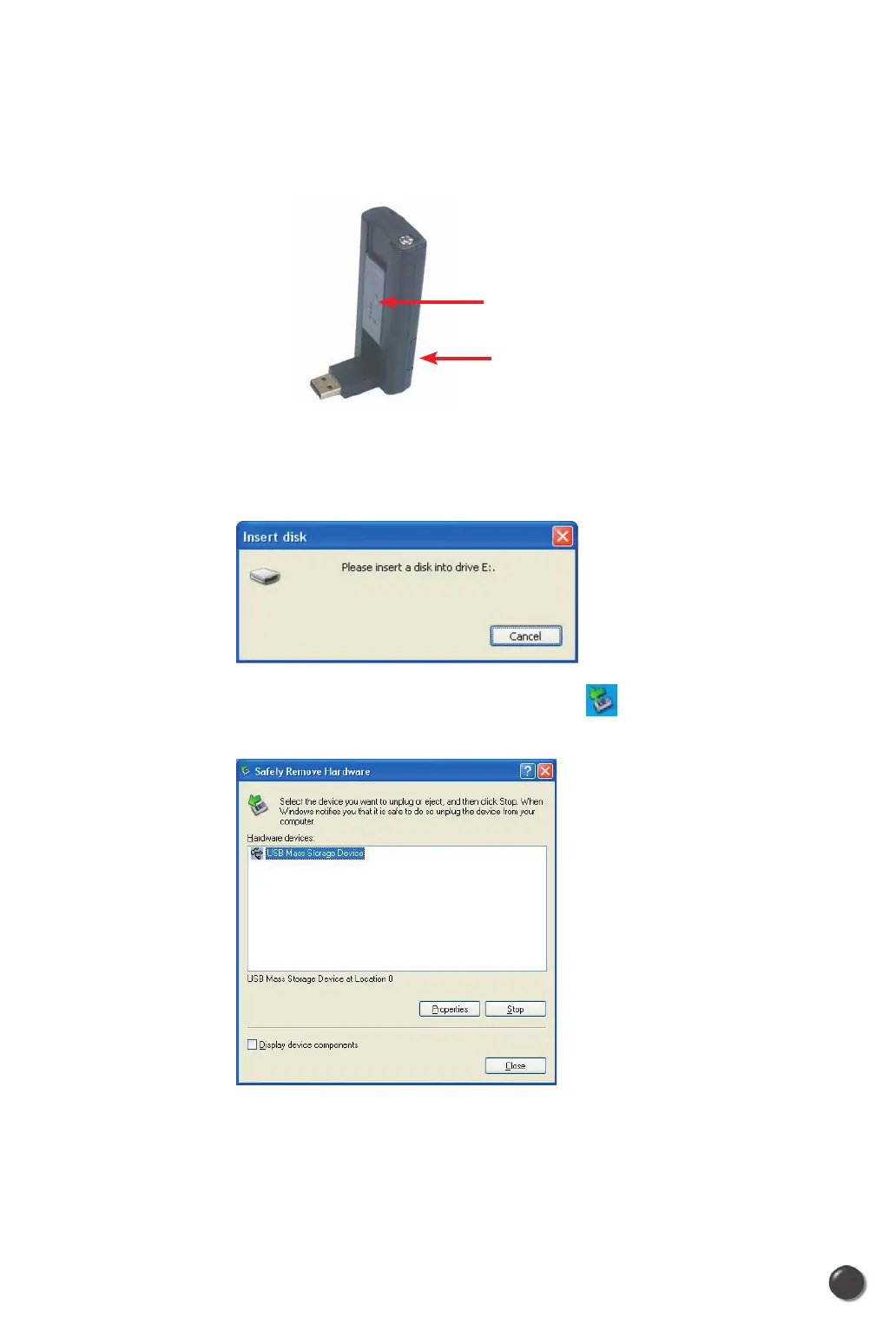
• Slide down the front window as illustrated, you can use this device as a Mass
Storage unit.
• To use this device as Mass storage unit, you must insert optional MicroSD
Card in the slot located in the right down side of this device. I
f there is no
microSD in the unit, following alert message will show in the screen.
While using as Mass Storage device and to eject, press
icon then it will pop up
a window as when you ejecting a USB device.
• Click the [Close] button. Now, you can unplug UM150.
Slide down the front window
MicroSD card slot



 To Next Page