
 Need help?
Do you have a question about the Vessel 220USB-1E and is the answer not in the manual?
Keep work area clean/lit, avoid hazards, keep bystanders away.
Use correct plugs/cords, avoid water/earthed surfaces, protect cords.
Stay alert, use PPE, prevent accidental starts, dress appropriately.
Use the correct tool for the job for safety and efficiency.
Ensure the switch operates correctly; repair if faulty.
Disconnect power before adjustments or storage.
Maintain tools, keep cutting edges sharp, store properly.
Use specified chargers/batteries; avoid damaged ones.
Keep away from metal, avoid liquid contact, avoid heat/fire.
Do not use as a pry bar, hammer, etc. Hold tool by insulated grips.
Maintain a firm grip, secure workpiece, wait for tool to stop.
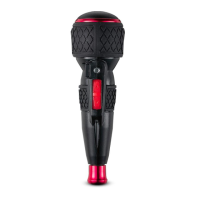
For screw tightening/loosening, features quick tightening, LED, USB charging.
Details voltage, capacity, torque, speed, weight, temperature, noise, vibration.
Lists included items: tool, bit, USB cable, manual.
Diagram identifying tool parts like handle, switch, LED, charging port.
Open port, insert USB cable, connect to USB port, observe LED indicators.
Charge fully before first use, charge anytime, avoid low charge, do not use while charging.
Slide sleeve, insert/remove bit fully, check lock, be careful.
Do not slide switch while changing bits to prevent injury.
Use switch for CW/CCW rotation; LED indicates operation.
Manual turning locks spindle for manual tightening, even with empty battery.
Avoid pressing switch after auto-off; do not slide switch when spindle locked.
Inspect for damage, keep tool clean, set switch to neutral before work.
Avoid harsh chemicals like benzine or thinner on the surface.
Dispose of tool via authorized agent, not household waste.
Do not disassemble battery or components to prevent fire or injury.
Addresses no rotation, tool stopping, slow speed, abnormal noise.
Covers charging problems, bits not fitting, and chuck idling.
Troubleshoots LED not lighting up and charging light alternation.
Product conforms to CE directives and specified standards.
Provides manufacturer details, website, and distributor contact info.
 General
| Voltage | 3.6V |
|---|---|
| Battery Type | Lithium-ion |
| Charging Time | 60 minutes |
| Charging Method | USB |
| Bit Type | Hex |
| Bit Size | 1/4 inch |

 To Next Page