VET-PRO Operator’s Manual
MD Bolus
=> History
Select Program
2
4
From 12.01.02 11:10
To 13.01.02 11:10
Given: 200 ml
Bol. Given: 4
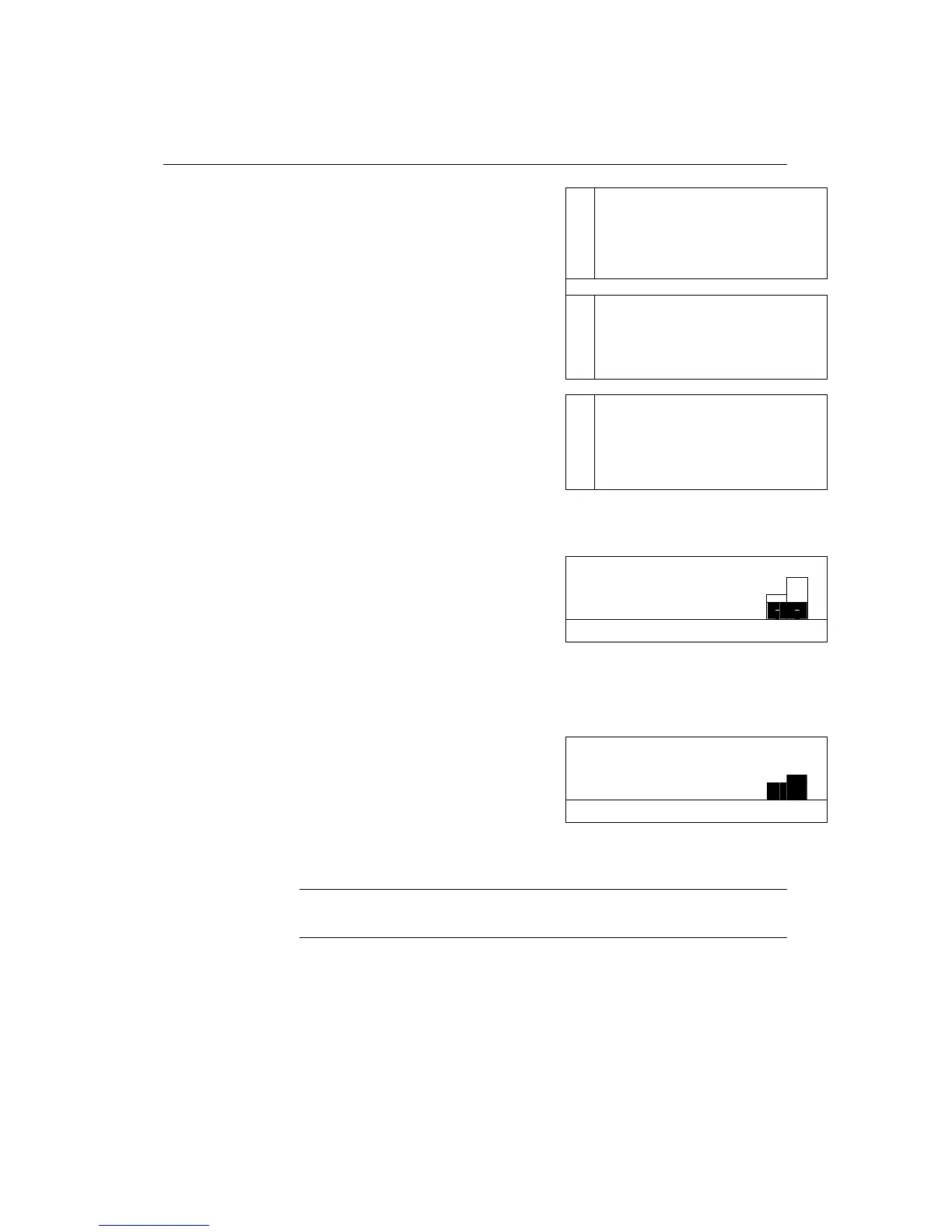
Selecting “History“ will display the PCA
operation history for the last 24 hours or last
program, if started within the last 24 hours.
Pump will display: Volume Infused, Bolus
Given and Bolus attempted. Use the
ARROW keys to scroll through data.
Use the down ARROW key to scroll to the
information regarding the last 8 hours. Use
the ARROW keys to scroll through the data.
H
8
From
To 13.01.02 11:10
Given: 80 ml
Bol. Given: 2
Press the info key for details per hour. Use the
ARROW keys to scroll through the data.
Press the info key once more to display the
Boluses given and attempted for the last 24
hours or last program, in a graphic way.
Every column in the graph represents 1 hour.
The black areas in each column are the
boluses given and the white areas are the
patient attempts for boluses.
Press the info key once more to display the
Volume infused for the last 24 hours or last
program, in a graphic way.
Every column in the graph represents 1 hour.
F
History can also be displayed during operation, by
pressing the STOP/NO key and then the info key.


 To Next Page