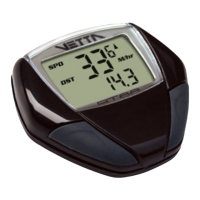
ELAPSED TIME (RT)
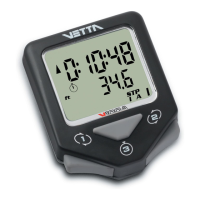
Elapsed time begins when the wheel begins to rotate. It starts automatically when
the wheel is set into motion and stops when the wheel stops for over four
seconds. When one hour of riding time has elapsed, the clock display will
automatically display the time as hours and minutes. When ten hours of riding
time have elapsed, the clock will return to 0:00. Average Speed will show an
“E”for error. Distance (DST) will continue to accumulate. To clear the elapsed
time press the “SET” and “MODE” buttons while in the elapsed time mode.
AVERAGE SPEED (AVS)
Your average speed is calculated using your true ride time and trip distance. The
minimum unit that will be displayed is 0.1 Km/hr or Mi/hr.
DIGITAL 12/24 HOUR CLOCK
Gives you the time of day in a 12 or 24 hour format. To display the clock, press the
“MODE” button for one second. To change between the 12 and 24 hour clock, press
the “MODE” button for three seconds while in the clock mode. Press the “MODE”
button again to return to odometer mode.


 To Next Page