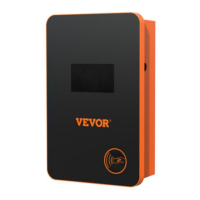
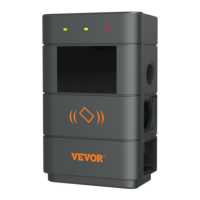
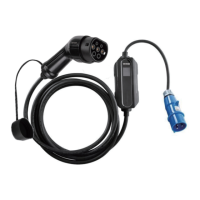
This document serves as the user manual for the VEVOR AC EV Charger, models EV-B06-EU003A and EV-B06-EU003B. It provides essential information regarding the device's operation, safety precautions, product parameters, installation instructions, and troubleshooting.
Function Description
The VEVOR AC EV Charger is a portable charging device designed for electric vehicles. It offers convenient installation, ease of use, and comprehensive protection functions. The charger is designed to address common issues in portable charging, such as grid voltage instability and circuit aging, by automatically adjusting charging power to prevent frequent tripping. Both models support "Plug and Play" charging, while model EV-B06-EU003B also supports APP-based charging, allowing users to set charging current, reserve charging time, and monitor real-time charging status via a mobile application.
Important Technical Specifications
The following specifications apply to both EV-B06-EU003A and EV-B06-EU003B models unless otherwise specified:
- Input Voltage: 220-240V~ 50Hz
- Output Voltage: 220-240V~ 50Hz
- Power Output: 3.7KW
- Maximum Output Current: 16A
- Class of Protection: IP66 (dustproof and waterproof)
- Protection Functions: Fire protection, over current, over voltage, under voltage, ground protection, over temperature protection, self-monitoring, and recovery.
- Indicator Light:
- Standby: Green on
- Charging: Yellow blinking
- Alarm: Red on
- Liquid Crystal Screen:
- EV-B06-EU003A: 3*LED light indicator
- EV-B06-EU003B: 3*LED light indicator, 1.5-inch LCD
- Mode of Charging: Plug and Play (both models), APP charging (EV-B06-EU003B only)
- Charging Interface: European standard charging gun
- Input Plug: CEE 7/7
- Material of Case: PC+ABS
- Operating Temperature: -30°C to 45°C
- Relative Humidity: 5% to 95% no condensation
- Overall Dimensions: 245*105*63mm (H*W*D)
- Standard of Reference: EN 62752
Usage Features
- Automatic Power Adjustment: The device can detect the user's network circuit load capacity. If the electric grid cannot bear the charging power, the device automatically reduces the charging power to prevent tripping due to grid voltage instability or circuit aging.
- Charging Current Adjustment: Users can adjust the charging current by clicking a button, cycling through 16A, 13A, 10A, 8A, and back to 16A. This allows for flexible charging based on available power or vehicle requirements.
- Appointment Charging (EV-B06-EU003B): The EV-B06-EU003B model allows users to set a reservation time (0 to 12 hours) for charging via the device's interface or the mobile APP. After the set time, charging will automatically commence.
- APP Control (EV-B06-EU003B): The EV-B06-EU003B model can be controlled via a dedicated mobile application. This enables users to:
- Set charging current.
- Reserve charging time.
- Query real-time charging status.
- The APP control overrides the device's manual charging mode.
- Device Binding: To use the APP features, users must download the smart APP, register, and bind the device. The APP can automatically search for the charging device when it is in standby mode, or users can manually add it.
- WIFI Reset: The device's WIFI can be reset by simultaneously pressing specific buttons on the control panel for 3 seconds, allowing for re-pairing with the APP.
Maintenance Features
- Safety Precautions: The manual emphasizes several safety measures:
- Verify grid voltage (single-phase 230V ±10%, 50Hz) before installation.
- Install circuit breakers at the front-end input.
- Avoid using flammable, explosive, or combustible materials near the charging pile.
- Keep the charging point dry and clean, wiping with a dry cloth if dirty.
- Do not touch the point pin.
- Prohibit vehicle driving during charging for hybrid cars.
- Keep children away from the charging process.
- Exercise caution during rain, thunder, or adverse weather.
- Immediately stop use and contact staff if the charging cable is damaged, worn, or the charging pile is knocked down.
- Press the stop button immediately in case of fire, electric shock, or other abnormal situations.
- Do not attempt to remove, maintain, or modify the charging pile to prevent damage or leakage.
- Fault Display: The device provides clear fault indications through LED lights and, for EV-B06-EU003B, on the LCD screen. Faults include:
- CP Fault: Indicates issues with the control pilot voltage.
- Ground Fault: Indicates that the ground wire is not connected or is poorly connected.
- Overcurrent Fault: Occurs if the charging current exceeds a threshold for more than 5 seconds, leading to automatic disconnection.
- Undervoltage Fault: Reported if the input voltage drops below 184V±5V.
- Overvoltage Fault: Reported if the input voltage exceeds 276V±5V.
- Other Faults: Include "The gun has been fired," "The PE cable is not connected," "Electrical leakage of equipment," and "Equipment overtemperature," each with specific LED indicator patterns.
- Self-Monitoring and Recovery: The device incorporates self-monitoring capabilities and can recover from certain protection events, such as over-voltage or under-voltage, once conditions return to normal. However, some faults, like overcurrent, require manual intervention as they cannot be automatically restored.

 Need help?
 General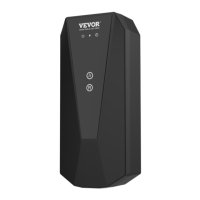

 To Next Page