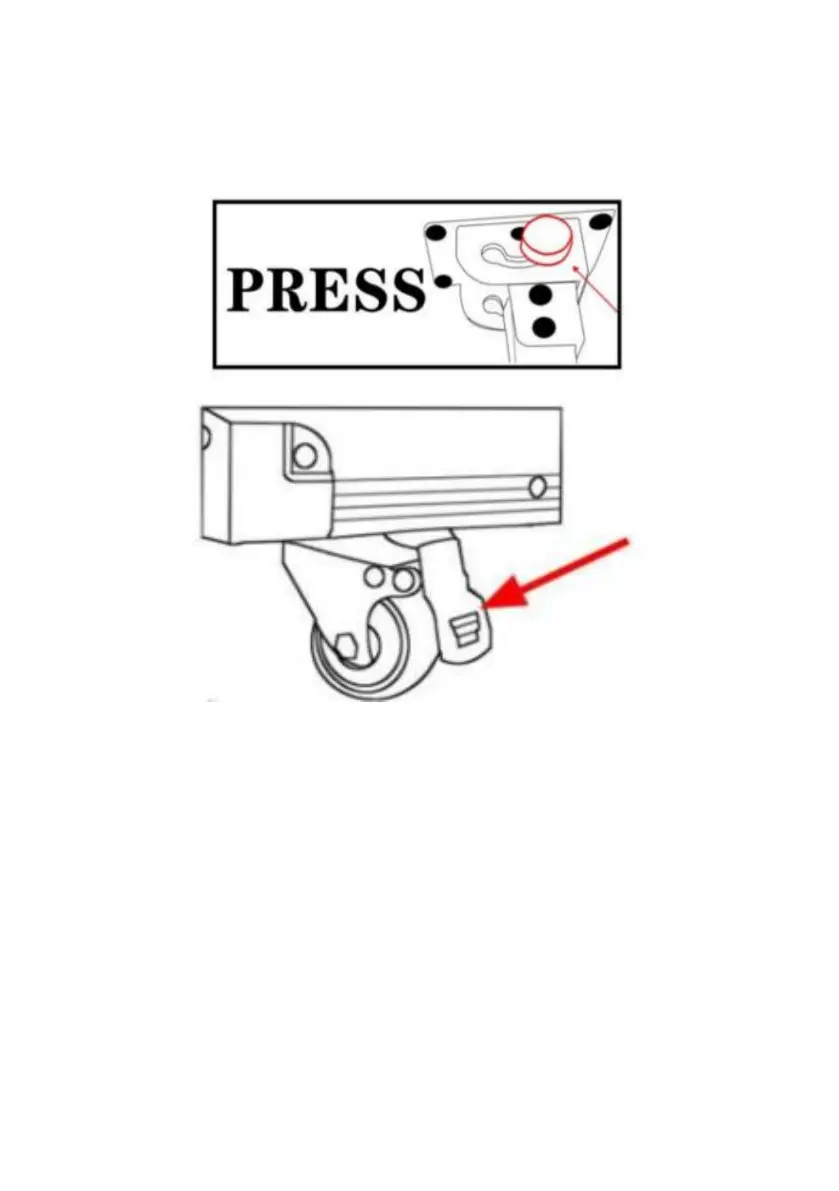
2 . Unfold the desktop so that it is parallel to the ground.
3 . Find the sign on the side of the table , and press the bracket switch
firmly at the corresponding internal bracket according to the prompt to
expand the bracket . ( Watch out for pinch ).
4 . Pull out the 2 support leg ( Spring shall be clamped in place )
NOTE : The switch is easy to get stuck due to the gravity of the bracket .
Lift the bracket up before pressing the bracket switch.
5 . Fix the four universal wheels ( step on the foot brake on the wheel
)
Power Introduction :
Power cord plug , just open the slide cover.
Warn :
Only use with supplied Power cord plug.
When using , please ensure that the power plug is dry and plugged tightly ,
otherwise the circuit is easy to burn.


 To Next Page