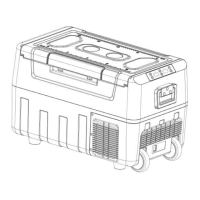
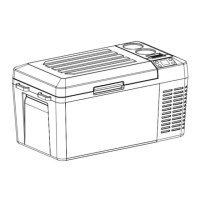
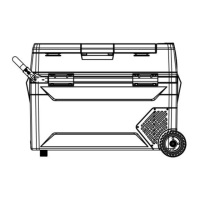
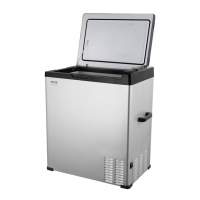
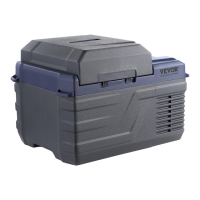
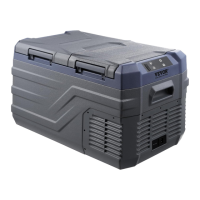
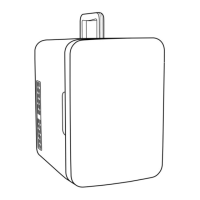
This document describes the VEVOR Car Refrigerator, models T35K, T45K, and T55K, designed for use in both American and European markets. It serves as a user manual, providing instructions for operation, maintenance, and troubleshooting.
Function Description
The VEVOR Car Refrigerator is a portable cooling device designed to keep food and beverages fresh or frozen while traveling. It can be powered by both DC (12V/24V) for in-car use and AC (100-240V) with an adapter for home use. The refrigerator features a built-in ECO electronic control module that monitors vehicle battery voltage, automatically disconnecting power to prevent the battery from draining too low and affecting vehicle ignition. It offers dual storage compartments with independent temperature settings, allowing for both fresh and frozen food storage simultaneously. The device includes a power-off memory function, which retains the last working state upon restart.
Important Technical Specifications
The manual provides a model parameter table detailing specifications for the T35K, T45K, and T55K models.
- Capacity:
- T35K: 35L
- T45K: 45L
- T55K: 55L
- Voltage: AC100-240V (50/60Hz) and DC12V/24V.
- Cooling Power: 60W for all models.
- Adjustable Temperature Range:
- USA plug type: 50°F to -4°F
- EU plug type: 10°C to -20°C
- Battery Protection Levels: H (high), M (medium), L (low).
- DC12V:
- H: OFF at 11.3V, ON at 12.5V
- M: OFF at 10.1V, ON at 11.4V
- L: OFF at 9.6V, ON at 10.9V
- DC24V:
- H: OFF at 24.6V, ON at 26.0V
- M: OFF at 22.3V, ON at 23.7V
- L: OFF at 21.3V, ON at 22.7V
Usage Features
- Power Connection: The refrigerator can be connected to a car's cigarette lighter (DC12V/24V) or a standard AC outlet (AC100-240V) using the provided adapter.
- Operation: To turn on, press the "ON/OFF" button for 3 seconds. The digital display will show the current temperature of the storage room.
- Temperature Setting:
- Use the "+" and "-" buttons to adjust the temperature. Each press changes the temperature by 1°C.
- The maximum settable temperature is 10°C, and the minimum is -20°C.
- When the clapboard is inserted, the refrigerator functions as two compartments. The small compartment's set temperature (TS) cannot be higher than the large compartment's set temperature (TL). For example, if TS is -10°C, TL can be set from -10°C to 10°C.
- Mode Conversion: Directly press the "gear" key to switch between MAX mode (fast cooling) and ECO mode (energy-saving).
- Temperature Unit Switching: Press and hold the "+" key and the "gear" key on the left (large box) for over 3 seconds to switch between Celsius (°C) and Fahrenheit (°F).
- Battery Protection Setting: Press the "gear" key for 3 seconds to enter battery protection settings (H1, N2, L3) and cycle through them. The default is H (high).
- Clapboard Installation: The clapboard aligns with two rails on the inner liner and is pushed vertically to the bottom, enabling dual-zone temperature control. If removed, the small compartment's temperature display will be off, and it will function as a single compartment.
- Power-off Memory: The refrigerator remembers its last working state (on/off, mode) and automatically recovers it upon the next startup.
- Storage Suggestions:
- For ice cream, adjust to the lowest temperature and ensure continuous power.
- Ideal for preserving frozen food, seafood, healthcare products, insulin, imported drugs, tea leaves, and high-grade fruits.
- Recommended storage temperature for red wine is 10°C - 18°C (50°F - 64.4°F).
- Suitable for storing high-grade sunglasses and cosmetics to prevent damage from high temperatures.
Maintenance Features
- Cleaning: Before first use, clean the refrigerator inside and outside with a damp cloth. Regularly clean the inner chamber to prevent odor and bacteria.
- Storage: When not in use for a long time, disconnect the power supply and keep it dry.
- Troubleshooting (Simple Fault Analysis):
- Refrigerator Does Not Work: Check power connection, power switch, cooling ventilation, and fuse.
- Poor Cooling Performance: Check if the lid is closed, door seal is damaged, ventilation is adequate, and temperature is set correctly.
- Abnormal Noise: Ensure smooth placement, avoid contact with walls/objects, and check for loose parts inside.
- Condensation: Slight condensation on the box surface is normal if ambient humidity exceeds 75%.
- Error Codes and Solutions:
- E1 (Low Input Voltage): Ensure the car is started before connecting, or adjust battery protection level to medium/low. Replace adapter if necessary.
- E2 (Fan Fault): Replace the fan.
- E3 (Input Voltage Fault Due to Compressor Frequently Start): Shut down for 5 minutes and restart. If using an adapter, adjust battery protection level or replace the adapter.
- E4 (Low Rotational Speed of Compressor): Adjust input voltage and repower.
- E5 (Overheating of Controller Chip): Power off for 5 minutes and check for poor ventilation around the compressor.
- E6 (Open or Short Circuit of NTC): (No specific solution provided in the excerpt, implies professional service).
Safety Precautions
- Ensure correct power voltage.
- Do not pour liquid directly into the refrigerator.
- Do not modify the refrigerator without permission.
- Not intended for use by persons with reduced physical, sensory, or mental capabilities or lack of experience/knowledge, unless supervised or instructed.
- Children should be supervised and not allowed to play with the appliance. Cleaning and user maintenance should not be performed by children without supervision.
- The appliance must be fixed under instructions to avoid instability hazards.
- Do not store explosive substances (e.g., aerosol cans with flammable propellant).
- WARNING: The appliance contains flammable foaming agent cyclopentane. Avoid contact with fire during transport and use. Seek professional servicing for breakdowns. Dispose of at a local appointed disposal station.
- WARNING: A fire warning symbol (yellow/orange) on the rear panel/compressor indicates flammable materials in refrigerant pipes and compressors. Keep away from fire sources during use, service, and disposal.

 Need help?
 General

 To Next Page