1. To adjust the settings to prevent the metal detector from detecting iron metals,
set both the VOLUME knob and SENS knob at midpoint ( or a higher setting ).
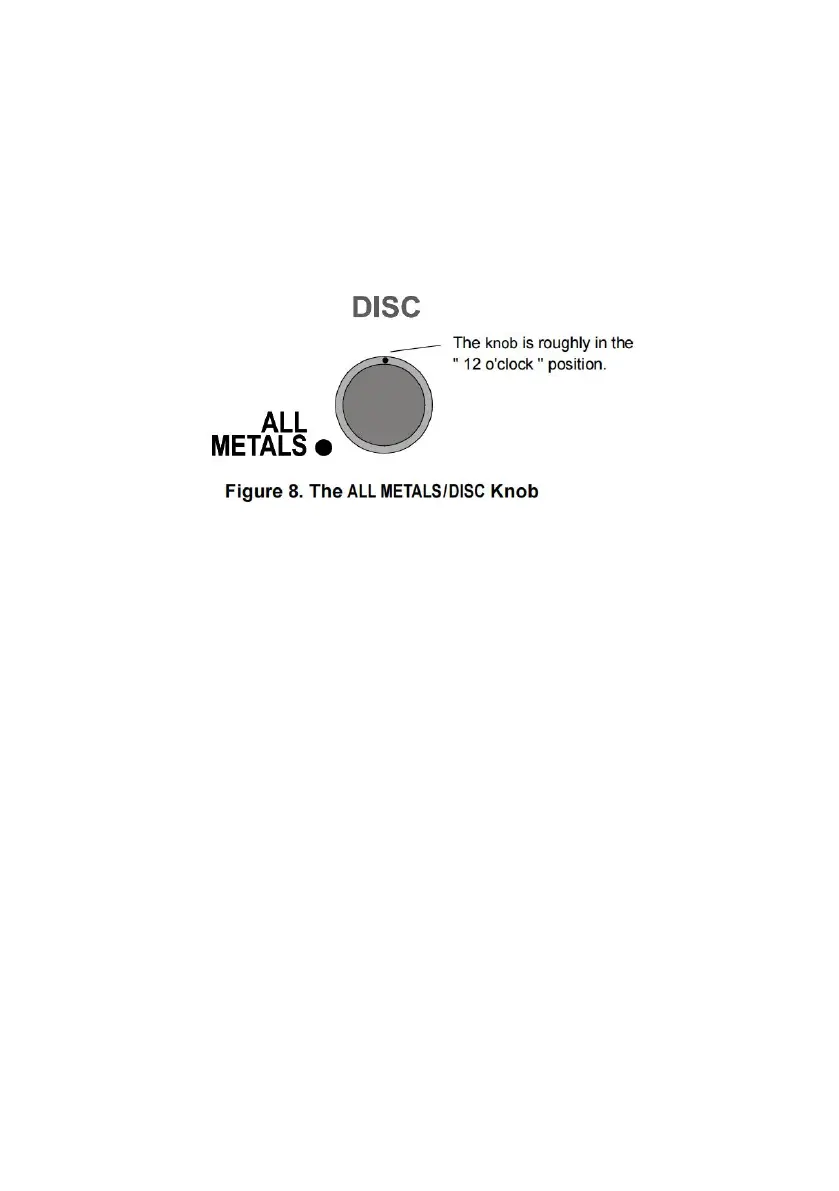
2. Then set the ALL METALS/DISC knob to about " 12 o'clock ". See Figure 8.
3. As a test, sweep the iron nail sample across the search coil at a distance of
about 5cm to 7.5cm, the detector will not beep and the metal pointer will not deflect,
but the other metal samples ( the three coins ) will cause the detector to beep and
the meter pointer to deflect rightwards when they are respectively swept across
the search coil.
4. To have the metal detector ignore nickel metals, set the ALL METALS/DISC
knob to about " 3 o'clock " ( see Figure 9 ). Sweep the nickel across the search coil
at a distance of about 5cm to 7.5cm; the metal detector will not respond to the
nickel or the iron nail. But it will respond to the other samples.


 To Next Page