Need help?
Do you have a question about the VEVOR TS181A and is the answer not in the manual?
Lists key functionalities like control panel, detection modes, target ID, ground balance, sensitivity, depth indication, audio alarm, discrimination modes, pinpointing, and battery indication.
Visual representation of the metal detector's front panel with numbered parts.
Instructions for turning the detector on/off and using the backlight.
Explains how to switch modes and adjust sensitivity/ground balance.
Explains its function for pinpointing detected metallic objects.
Shows battery status and indicates the currently selected operating mode (JEWELRY, COINS, etc.).
Explains sensitivity bars, depth indicator bars, ground balance, horizontal scale, and target ID cursor.
Visual representation of the detector's display with numbered elements.
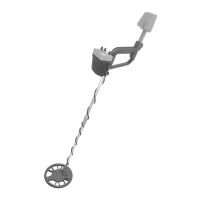
Illustrates the complete metal detector assembly with labeled parts.
Displays the front and back views of the detector's upper assembly with labeled components.
Exploded view illustrating the assembly process of the metal detector parts.
Important notes on assembly and cable handling.
Step-by-step guide on how to adjust the detector's length.
Explains how the legend and cursor identify probable metal types.
Details the horizontal scale's representation of discrimination patterns.
Details how the two-digit number provides precise target identification.
Illustrates the classification of various metal objects based on conductivity and value.
A chart categorizing metal objects by type, value, and conductivity.
Step-by-step guide for detecting objects using the All Metals Mode, including sensitivity and ground balance.
Details the process of using the Pinpoint function to locate detected objects precisely.
Explains detection for jewelry and coins, and filtering common trash.
Details detection for debris and ornaments.
Allows modification of the discrimination pattern to suit user needs.
Illustrates display elements and controls for discrimination modes.
Explains the detector's ability to produce 6 different alarm tones for metal objects.
Instructions on how to use the backlight feature for operation in dim environments.
How to change channels to avoid interference between multiple detectors.
Instructions on how to use an optional earphone with the detector.
Provides solutions for common problems like no power, erratic signals, and detection failures.
Instructions for replacing the detector's batteries.
Important general notes and precautions for using the detector.
Safety warnings related to potential hazards when using the metal detector.
Lists the accessories included with the metal detector.
Contains statements regarding manual updates, company liability, and usage limitations.
 General
| Brand | VEVOR |
|---|---|
| Model | TS181A |
| Category | Metal Detector |
| Language | English |

 To Next Page