Section V:Create internet channel(For Android only)
Section Ⅵ:Bind network channel (For Android only)
Section Ⅶ:Turn on Network repeater function(For Android only)
Section Ⅷ:Turn off radio after pairing
Section Ⅸ:Turn on/off signal TONE
Section Ⅹ: Turn on audio relay
1,Turn on APP,select【join network channel】/【create a new channel】
2,Create channel name and password. Free to join if no password
3,Click 【SAVE】
1,Long press ID image, select Login , select 【Register】 to Register the account.
2,Select【join network channel】/【join existing channel】,click【magnifier】icon,type the channel
name to join in. Enter the password if need.
3,Long press on a channel square that you needed, select 【Bind network channel】, then select the
network channel you joined to bind
【 】
1. Under the network channel you are bound to, press and hold Relay Mode to realize network and
analog communucation. (Note: To achieve network-analog communication, you must have the
administrator qualification of the network group. If not, then no allow to operate)
2, 【Sync radio config】means 'synchronous radio configuration', this function can synchronize the analog
frequency of the network channel bound to the network channel into the same parameters
(with the consent of the members, please be cautious)
【 】
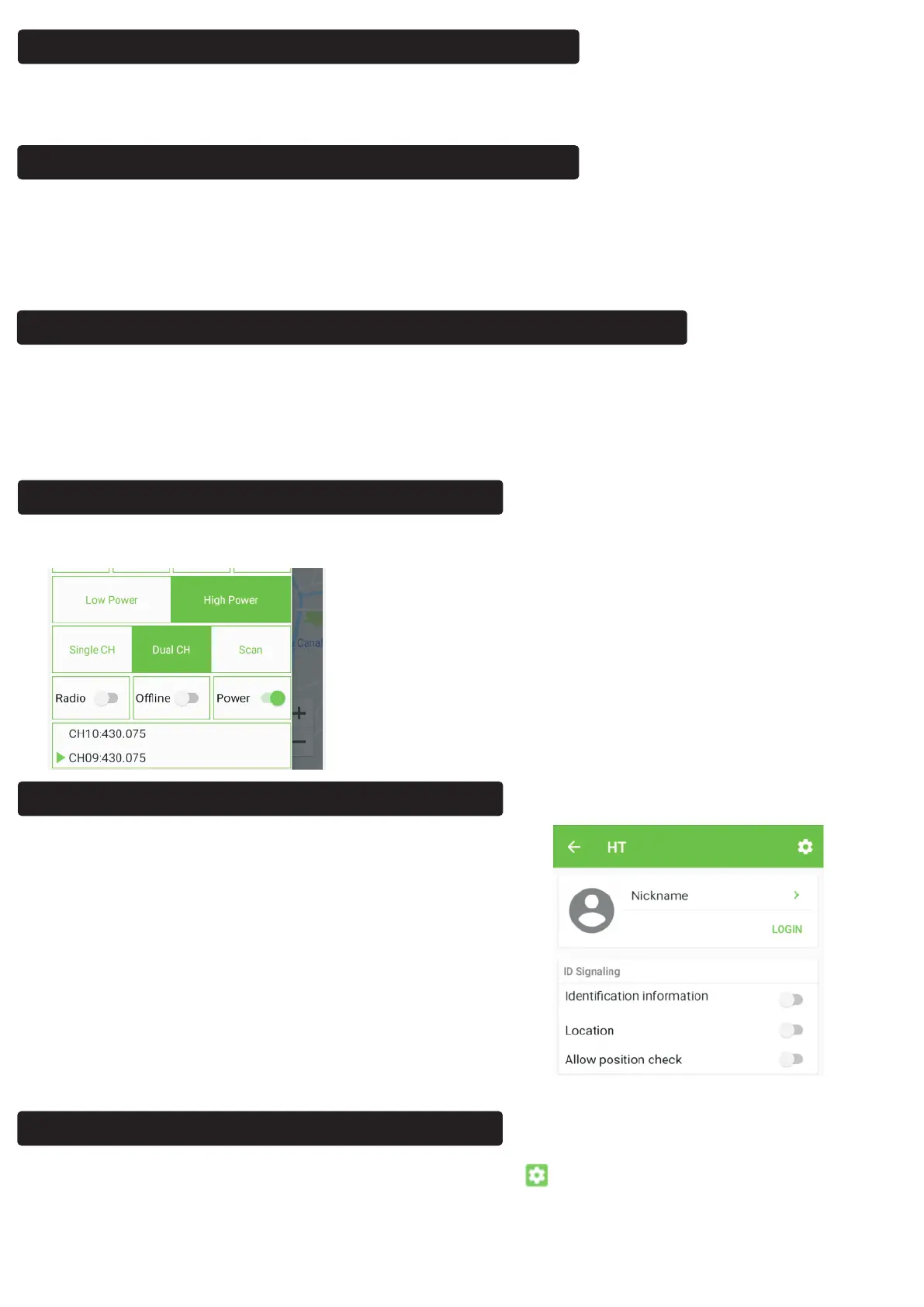
Open the app, click on the POWER button and turn it to gray to turn off the radio. The next time you
need to turn it on, open the app and click on 【POWER】 button again.
【 】
Long press the ID photo to enter the following interface:
Click 【Identification Information】to enable/disable
signaling, if 【Location】On, Signaling tone is coming
with position Signal
Open the APP, enter the frequency page, click setting icon , select General Settings ,
turn on 【Audio relay】 to implement the audio relay function (this function does not depend
on the network)
【 】



 To Next Page
 Loading...