
 Need help?
Do you have a question about the VHD VHD-V60U and is the answer not in the manual?
Safety guidelines for operating the camera, including environmental and cleaning advice.
Mentions potential impact of electromagnetic waves on image quality.
Legal notice regarding the manual's content and reproduction rights.
Guidelines for safe installation and usage based on electrical safety standards.
Advises against physical shock during handling, storage, and installation.
Specifies power requirements (+12V, 2A) and polarity.
Important installation guidelines, including handling, environment, and power connection.
Warns against unauthorized modifications and disclaimers of liability.
Lists the included items in the product package.
Guides users to check all connections before powering on the device.
Explains how to set the system select switch for video format selection.
Important notes regarding switch settings and video format availability.
Describes what happens when the power switch is turned on.
Explains the camera's initialization process upon startup.
Details USB3.0 capabilities for high-speed data transfer and multi-format output.
Highlights built-in microphone and AAC audio encoding capabilities.
Supports H.265 encoding for efficient Full HD video streaming.
Features a high-quality HD CMOS sensor for Full HD resolution.
Details support for high frame rates at various resolutions.
Includes Face Detection and optional PTZ tracking capabilities.
Enables direct recording to USB flash disks without an NVR.
Enhanced low-light performance with advanced noise reduction technology.
Features 20x optical and 32x digital zoom with a quality telephoto lens.
Supports remote control via RS232 and RS485 interfaces.
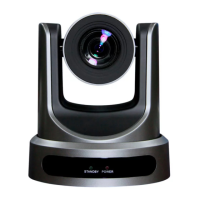
Identifies the product as the USB3.0 HD Video Conferencing Camera.
Details supported video resolutions and frame rates.
Specifies the camera sensor type and resolution.
Indicates the scanning mode is Progressive.
Details the lens's optical zoom and aperture range.
Specifies the optional digital zoom capability.
Indicates the minimum light required for operation.
Lists the range of available shutter speeds.
Details the various white balance modes available.
Indicates support for backlight compensation.
Features both 2D and 3D digital noise reduction.
Specifies the minimum signal-to-noise ratio for video.
Details the camera's horizontal viewing angles.
Details the camera's vertical viewing angles.
Specifies the limits of the camera's horizontal pan.
Specifies the limits of the camera's vertical tilt.
Defines the adjustable speed range for panning.
Defines the adjustable speed range for tilting.
Indicates support for flipping the image horizontally and vertically.
Indicates support for capturing still images.
Specifies optional support for face detection.
Indicates support for local storage functionality.
Specifies the maximum number of presets that can be stored.
Defines the accuracy of stored preset positions.
Lists the operating systems compatible with the USB interface.
Specifies the color system used by the camera.
Lists the video formats supported via USB3.0.
Lists the video formats supported via USB2.0.
Specifies the USB Video Class (UVC) version.
Indicates support for PTZ control over UVC.
Lists the supported video compression standards.
Describes the availability of main and sub video streams.
Lists the supported resolutions for the main video stream.
Lists the supported resolutions for the sub video stream.
Specifies the range of supported bitrates.
Indicates support for variable and fixed bitrate transmission.
Details supported frame rates for different resolutions and frequencies.
Specifies the audio compression standard used.
Lists the supported audio transmission bitrates.
Lists the various network protocols the camera supports.
Describes the HDMI output interface.
Describes the CVBS output interface.
Details the Ethernet network interface.
Describes the audio input interface.
Details the USB 3.0 and USB 2.0 interfaces.
Specifies the RS232 input port and supported protocols.
Specifies the RS232 output port and its usage.
Details the RS485 interface port and supported protocols.
Specifies the type of power connector used.
States the required DC power input.
Indicates the maximum current the device draws.
Specifies the recommended operating temperature range.
Specifies the recommended storage temperature range.
Provides the Mean Time Between Failures rating.
Indicates the maximum power the device consumes.
Lists the physical dimensions of the camera.
Specifies the weight of the camera.
Identifies the Line In audio input port.
Identifies the CVBS video output port.
Describes the function of the System Select switch.
Identifies the RS485 communication port.
Identifies the RS232 input port.
Identifies the RS232 output port.
Indicates the location of the power switch.
Identifies the 12V DC power input jack.
Identifies the HDMI video output port.
Identifies the USB 2.0 port.
Identifies the USB 3.0 port.
Identifies the RJ45 Ethernet network port.
Explains the function of the standby button and power saving.
Describes the use of number buttons for preset management.
Identifies the function of the asterisk (*) button.
Guides on how to save and manage presets using buttons.
Explains how to control the camera's pan and tilt movements.
Describes the function of the MENU button for accessing OSD menus.
Details the slow and fast zoom controls.
Explains how to set the pan-tilt direction using specific buttons.
Describes the focus adjustment controls, including auto focus.
Guides on manually adjusting the focus using specific buttons.
Allows selection of the camera for remote control.
Identifies the function of the '#' button.
Explains how to set the IR address for the camera.
Describes how to delete individual or all stored presets.
Details pan/tilt control and the home positioning function.
Function of the back button for menu navigation.
Explains the BLC function and its usage in auto exposure.
Initiates the camera's pan and tilt self-test.
Describes how to freeze and unfreeze the video image using the remote.
Explains a feature related to recalling preset images.
Lists useful button combinations for quick access to settings.
Details the pin assignments for the DB-9 serial connector.
Details the pin assignments for the Mini DIN serial connector.
Lists the specific parameters for RS232 communication.
Lists the specific parameters for RS485 communication.
Describes the camera's movement and initialization sequence after power is applied.
Directs users to contact the import agent for detailed command lists.
Explains how to navigate through the camera's menu system.
Details various exposure-related settings like mode, gain, and backlight.
Describes the anti-flicker options available.
Lists the available aperture settings.
Details the available shutter speed options.
Covers various color adjustment settings like white balance and saturation.
Provides detailed controls for image properties like brightness, contrast, and sharpness.
Explains how to adjust the image brightness.
Explains how to adjust the image contrast.
Explains how to adjust image sharpness.
Controls whether the image is flipped horizontally.
Controls whether the image is flipped vertically.
Enables or disables the black and white image mode.
Covers settings related to the camera's pan, tilt, and zoom movements.
Controls the speed adjustment for zoom operations.
Defines the area for auto focus detection.
Adjusts the sensitivity of the auto focus system.
Specifies the direction setting for pan/tilt.
Controls the fast zoom function.
Manages noise reduction levels for 2D, 3D, and hot pixels.
Adjusts the level of 2D noise reduction.
Adjusts the level of 3D noise reduction.
Controls the handling of dynamic bad pixels.
Configures system settings like language, protocol, and network mode.
Allows selection of the user interface language.
Selects the communication protocol for camera control.
Sets the VISCA address for device communication.
Sets the address for PELCO-D protocol.
Sets the address for PELCO-P protocol.
Manages IR switch settings via the serial port.
Resets the camera to its factory default settings.
Specifies the required operating systems and client PC specifications.
Guides on connecting the camera to a PC and power.
Illustrates how to connect the camera and computer for network access.
Details the default IP address and methods for changing it.
Instructions for modifying the camera's IP address using the upgrade utility.
Provides the default IP address, username, and password for access.
Guides on how to access the camera's web interface using a browser.
Advises on installing necessary player software for viewing streams.
Explains how to access and control the camera over the internet.
Details how to configure dynamic DNS for remote access.
Explains how to set up port forwarding on a router.
Guides on setting up the virtual server feature on a router.
Instructions on opening network streams using VLC media player.
Explains how to set up a domain name for dynamic DNS access.
Informs about the default port for RTSP streaming.
Guides on using VLC media player for stream monitoring.
Overview of IP camera parameter configuration.
Describes the two types of menu bars available in the interface.
Explains the video display window and fullscreen functionality.
Details the function of the video playback pause button.
Explains how to control audio settings, including muting.
Describes the button for toggling fullscreen display.
Covers all settings related to PTZ operations and controls.
Details the directional controls for PTZ operations.
Allows adjustment of PTZ movement speeds.
Controls the zoom level for focusing on objects.
Controls the focus adjustment for objects.
Manages saving and recalling camera presets.
Allows selection of the user interface language.
Configuration options for video streams, codecs, and formats.
Enables or disables the 720p120 video mode.
Specifies supported video formats like PAL and NTSC.
Lists the supported video encoding protocols.
Defines the encoding level profiles supported.
Lists the available video resolutions.
Allows setting the bit rate for streams, with a bandwidth warning.
Adjusts the frame rate for smoother video playback.
Configures the interval for key frames in video encoding.
Explains the difference between Constant and Variable Bit Rate control.
Adjusts the fluctuation level for variable bit rates.
Guides on saving, canceling, or resetting image adjustments.
Covers configuration for audio settings like type, rate, volume, and ADTS.
Specifies the audio codec as AAC.
Allows selection of audio sample rates.
Lists the available audio bit rates.
Indicates that only Line In is supported for audio input.
Adjusts the volume for the left and right audio channels.
Configures ADTS (Audio Data Transport Stream) options.
Describes the buttons used to save or cancel audio settings.
Configures the camera's operating mode to RTSP.
Explains how to restart the camera system.
Allows changing the login username and password.
Applies or cancels system setting modifications.
Configures network settings like IP and MAC addresses.
Details the function and configuration of the HTTP port.
Explains the RTSP port usage and its relation to VLC broadcast.
Specifies the port for PTZ protocol communication.
Configures communication protocols and addresses for camera control.
Configures RTMP streaming settings for the camera.
Configures the RTSP protocol for network cameras.
Manages ONVIF protocol settings and authentication.
Configures multicast streaming parameters.
Applies or cancels network configuration changes.
Displays information about the camera's hardware and software versions.
Guides users on obtaining the network upgrade program.
Details USB3.0 features, including UVC support and resolution outputs.
Lists operating systems compatible with USB connectivity.
Recommends software applications for use with the camera.
Advises on using a specific version of AMCAP software.
Warns about the need for plug-in installation during the first USB connection.
Provides guidelines for proper camera maintenance and cleaning.
Lists actions to avoid to prevent camera damage or malfunction.
Steps to resolve issues where no image is displayed.
Steps to resolve issues with abnormal video output.
Steps to resolve issues causing screen shaking.
Guides on resolving issues with video not appearing in the IE browser.
Steps to resolve problems accessing the IP camera via IE browser.
Explains how to reset the camera's IP address and credentials using the IR remote.
Steps to resolve issues where the remote control is not functioning.
Steps to resolve issues with serial communication control.

 To Next Page
 General