
 Need help?
Do you have a question about the VIA Technologies VIPRO VP7910 and is the answer not in the manual?
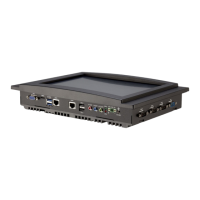
Details VIPRO VP7910 features: fanless design, IP65, networking, multimedia, dual SIM, storage, and power options.
Technical specifications for VP-7910-R1Q12A1 and VP-7910-P1Q12A1 models, covering computing, memory, graphics, and interfaces.
Illustrates front, top, rear, and bottom side layouts of the VIPRO VP7910, showing ports and features.
Displays physical dimensions of the VIPRO VP7910 from various views, including mounting bracket dimensions.
Details functionality and pin configurations of external I/O ports: power, LEDs, audio, USB, Ethernet, HDMI, VGA, COM, DIO.
Step-by-step guide on safely removing the rear cover plate of the VIPRO VP7910 for internal access.
Instructions for installing a 2.5" SATA HDD: cable removal, daughter board detachment, bracket installation, and drive securing.
Steps for installing an mSATA flash drive, including aligning notches, inserting the module, and securing with screws.
Detailed procedure for inserting a 3G SIM card into its socket, ensuring correct placement and locking.
Guides the installation of 3G/GPS/WLAN modules and antenna connection, including alignment and securing.
Instructions for panel mounting the VIPRO VP7910, including preparing wall cutouts and attaching mounting brackets.
Instructions on how to access the BIOS Setup Utility by pressing the 'Delete' key during system boot.
Lists and explains keyboard controls for navigating and interacting within the BIOS Setup Utility.
Describes how to access the "General Help" screen in the BIOS Setup Utility using the F1 key for assistance.
Displays system information and allows configuration of language, date, and time.
Provides access to detailed system configurations like ACPI, CPU, SATA, and hardware monitoring.
Covers chipset-specific configurations, including DRAM, Video, PMU-ACPI, and other settings.
Manages system boot configuration, including Quiet Boot and boot option priorities.
Provides options for saving/discarding changes, resetting, or restoring defaults within the BIOS.
Information on obtaining Windows drivers for the VIPRO VP7910 from the VIA Embedded website.
Details on acquiring Linux drivers and support, including VIA-provided drivers or distribution packages.
 General
| Brand | VIA Technologies |
|---|---|
| Model | VIPRO VP7910 |
| Category | Touch Panel |
| Language | English |

 To Next Page