EasyManua.ls Logo

Viatek WEEDERASE - Page 7

Viatek WEEDERASE
8 pages
Print Icon
To Next Page IconTo Next Page
To Previous Page IconTo Previous Page
Loading...
5.
Press
and release the
power/treatment
switch
one
(1)
time for a three
(3)
second treatment (good for smaller weeds), or
two
(2) times for a nine
(g)
second treatment (better for medium sized weeds or unwanted
grass).
For
a nine
(g)
second treatment. press the
power
/treatment
switch
twice, one second apart.
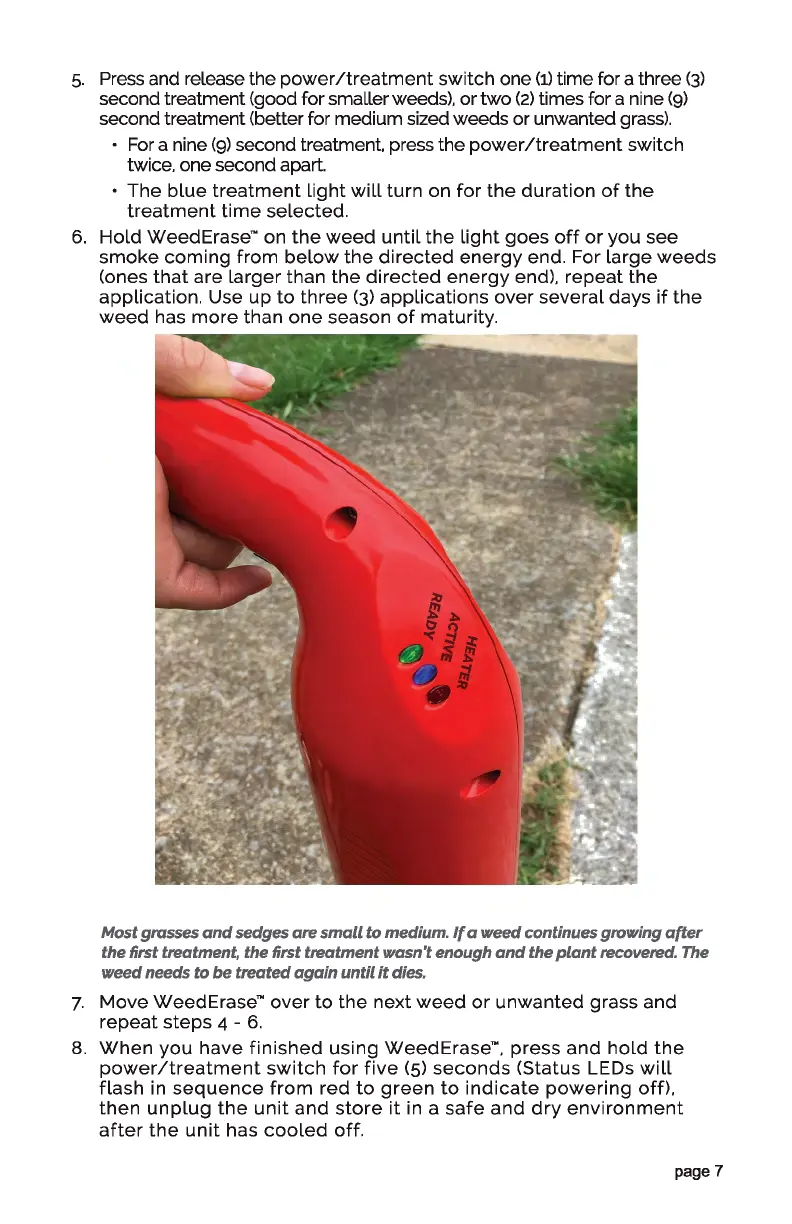
The
blue
treatment
light
will
turn
on
for
the
duration
of
the
treatment
time
selected.
6.
Hold
Weed
Erase™
on
the
weed
until
the
light
goes
off
or
you
see
smoke
coming
from
below
the
directed
energy
end. For
large
weeds
(ones
that
are
larger
than
the
directed
energy
end),
repeat
the
application. Use
up
to
three
(3)
applications
over
several
days
if
the
weed
has
more
than
one
season
of
maturity.
Most grasses
and
sedges
are
small
to medium.
If
a
weed
continues growing
after
the first treatment, the first
treatment
l/flQsn't
enough
and
the
plant
recovered. The
weed
needs to
be
treated
again
until
it
dies.
7.
Move
WeedErase™
over
to
the
next
weed
or
unwanted
grass and
repeat
steps
4 -
6.
8.
When
you
have
finished
using
WeedErase™.
press
and
hold
the
power/treatment
switch
for
five
(5)
seconds
(Status LEDs
will
flash
in
sequence
from
red
to
green
to
indicate
powering
off),
then
unplug
the
unit
and
store
it
in a
safe
and
dry
environment
after
the
unit
has
cooled
off.
page 7