13
CommissioningOperation
4 Operation
Status LED s
When a button is pressed, this LED
lights up. If the button is kept pressed,
the LED flashes.
Background illumination (optional)
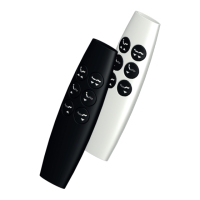
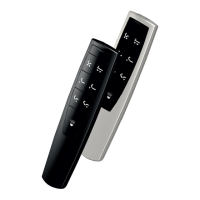
The radio remote control is equipped
with a keypad background illumi-
nation. It is switched on, when the
remote control is moved or any button
is pressed, and turns off after approx. 5
seconds if no other button is pressed,
the same button is kept pressed or the
remote control is moved again.
Bed adjustment
Before making any adjustments:
Check that neither you nor anyone
else or any pets are at risk from to the
moving parts of the adjustment
mechanics!
Both drives upwards.1
Both drives downwards.2
3 Back adjustment upwards.
4 Back adjustment downwards.
5 Leg adjustment upwards.
6 Leg adjustment downwards.
As long as you keep the buttons
pressed, the drives will move.
Torch function
Do not look directly into the torch LED!
Pressing button for approx. 3 7
seconds activates the torch LED . t
The LED will switch off automatically
after approx. 20 seconds.
Pressing button again shortly will 7
switch off the torch LED.
If you keep the button pressed, the
LED remains switched on. It then goes
off about 20 seconds after releasing
the button.
Caution
Caution


 To Next Page