WARNING
Kaleido can only calculate Insulin on Board based on the
insulin which it knows it has delivered – it cannot track
insulin delivered via any other method (such as insulin pens).
If you have recently used an alternative method of insulin
delivery and then attempt to use either Insulin on Board or
Kaleidoculator to assist your diabetes management, you
must bear this important fact in mind.
130 What is Insulin on Board?
So, how does it work? Well, Kaleido remembers all of the
boluses that you’ve delivered and, based on the amount
of time you’ve said insulin stays active in your body (the
insulin activity time that you can set with the help of your
Healthcare Provider – see How do I enter my insulin activity
time?), it’s able to calculate how much insulin is still active
in your body at any given time. You can check this figure
whenever you want... and it’ll also be used whenever you
use Kaleidoculator to figure out a bolus.
131
How do I check my Insulin on Board?
How do I check my Insulin on Board?
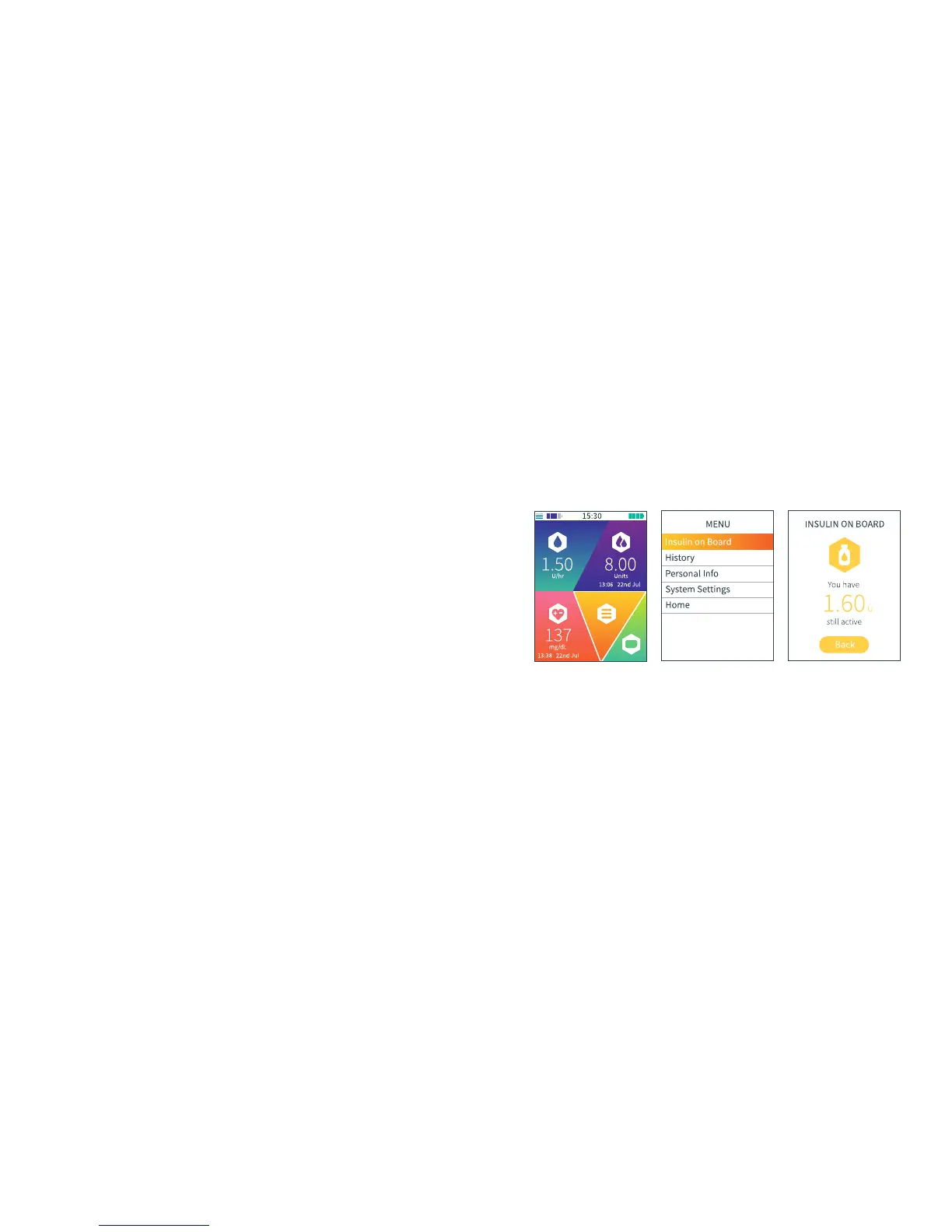
STEP 1
On the Home screen, scroll
to Menu and press Enter to
select.
STEP 2
Press Enter again to select
Insulin on Board.
STEP 3
Your handset will now
show you your Insulin on
Board. You can review the
number for as long as you
like – when you’re done,
just press Enter to select
Back and return to the
Menu menu.
QUICK TIP
Kaleido works out your Insulin on Board using the insulin activity
time that you’ve set in Personal Info. So, if you haven’t set an insulin
activity time, you won’t be able to access Insulin on Board from the
Menu menu. Setting an insulin activity time is easy, but must always
be done with the guidance and support of your Healthcare Provider -
to find out more, see How do I enter my insulin activity time?
QUICK TIP
As well as needing to be connected to a pump, your handset
needs to be in range of the pump you’re currently using in order
to show you your Insulin on Board. If you try to check Insulin on
Board when you’re not connected to a pump or if your
handset is out of range of your pump, you won’t be able to
access Insulin on Board from the Menu menu (if you’re
checking your Insulin on Board at the point your handset
and pump go out of range of each other, the Insulin on Board
number will disappear and it’ll be replaced by a dash). To make
Insulin on Board accessible again, make sure your handset is
connected to a pump and - if your handset and pump are out of
range - move them closer together. Now you’ll be able to check
Insulin on Board again - just give your handset a moment to
crunch the numbers!



 To Next Page