/C~N~IECTORS
AND
CONTROLS
-
@
continued
1
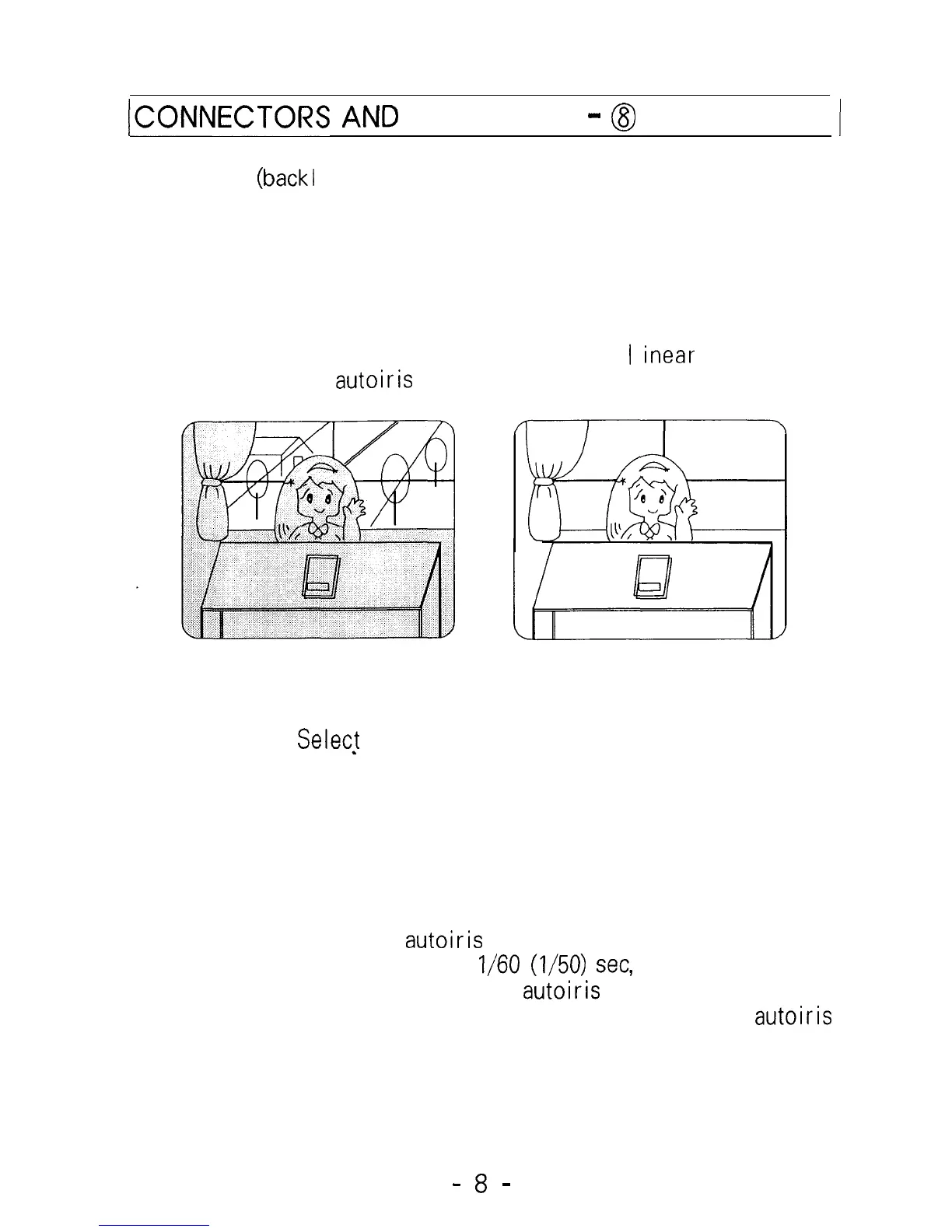
3. BLC (back1 ight compensation) ON/OFF Switch
If the subject you wish to view is too dim because of a
bright background, set the BLC switch to ON to compensate
for the bright background.
With BLC on, the background brightness may saturate in some
cases, This function may not operate properly if the object
is too small compared to the area of the background. This
function can be used with either the
I
inear
shutter (EE
mode) or an
autoiris
lens (Al lens mode).
WITH BLC OFF
4. ELC/ALC
Select
Switch
WITH BLC ON
This switch is-used to select EE (electronic exposure or ELC
electronic light control) mode or Al (autoiris lens or ALC
automatic I ight control) mode.
In the EE mode, a continuously variable electronic shutter is
employed to automatically control the exposure time of the
CCD image sensor according to the incoming light level.
With this mode selected, a fixed or manual iris lens can be
used instead of an
autoiris
lens. In the Al mode, the CCD
shutter speed is fixed to
l/60
(l/50)
set, and the incoming
I ight level is control led by the
autoiris
lens.
To use a video-drive type or the DC-drive type of
autoiris
lens, set this switch to the Al position.
-
8
-


 To Next Page
 Loading...