12
Viconics Technologies
028-0465-00 October 2015
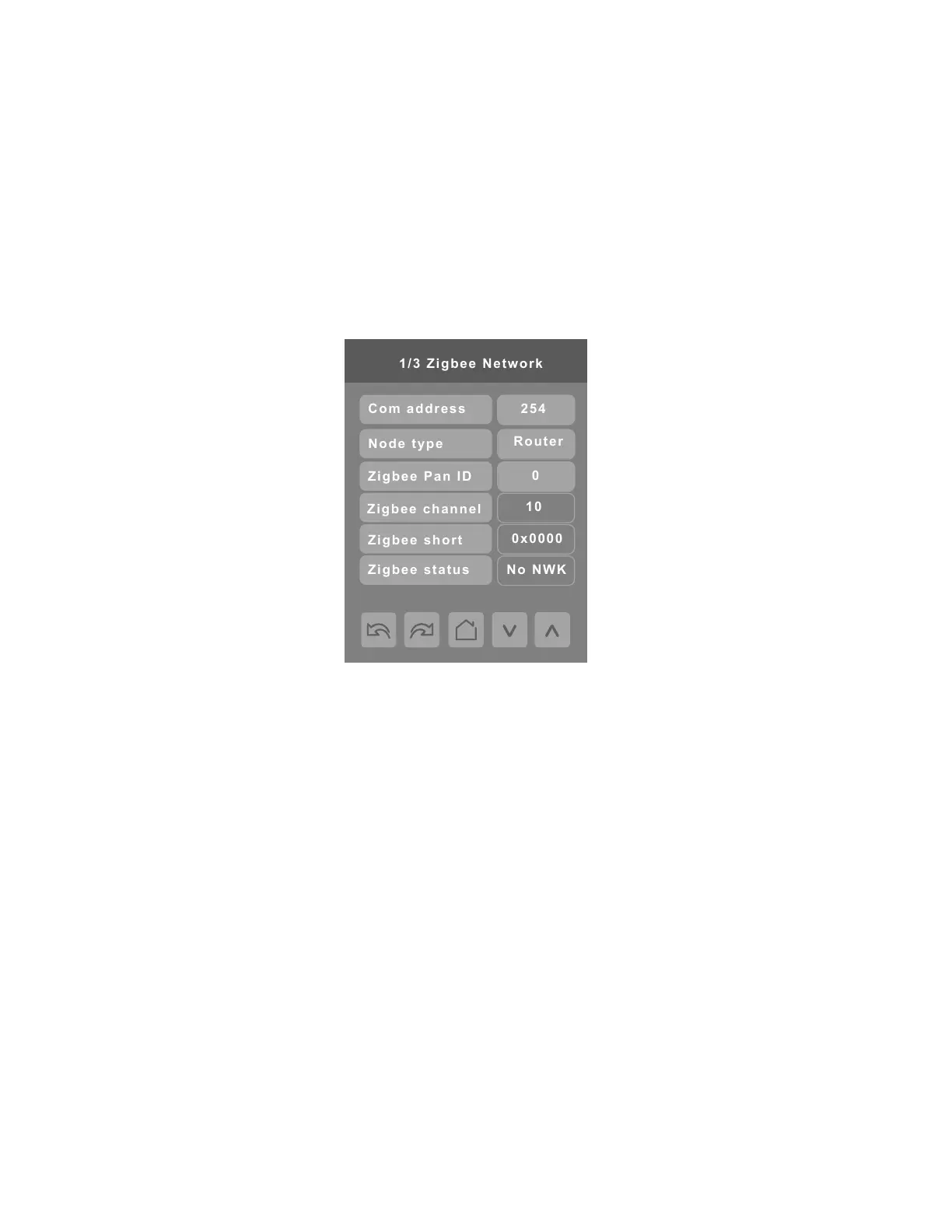
3. Tap COM address.
4. Using Up or Down arrow button, enter COM address value.
NOTE: The COM address is a unique identifier for the Room Controller and is used facilitate commissioning. Also, each device
must have a unique COM address.
5. Tap ZigBee Pan ID.
6. Using Up or Down arrow button, enter the PAN ID (dec) value from the GW2 to the ZigBee Pan ID field of the room controller.
7. Tap ZigBee channel.
8. Using Up or Down arrow button, enter the channel value from the GW2 to the ZigBee channel field of the room controller.
9. Tap Home icon.
NOTE: the ZigBee status shows “Joined” after the room controller successfully connects to the ZigBee network. This may take
a few minutes.


 To Next Page
 Loading...