4 4
5 5
10
11
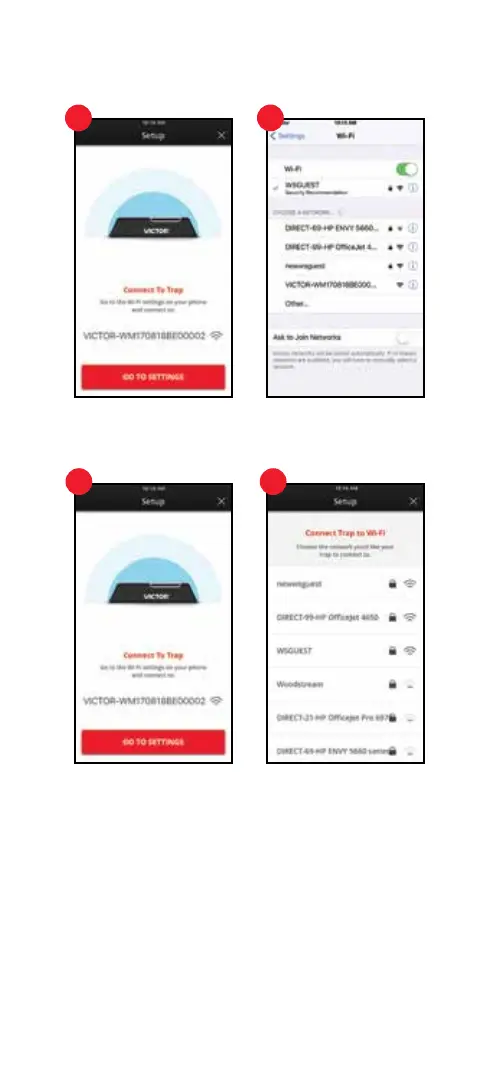
4. Connect Mobile Device to Trap
Go to Wi-Fi settings on your device by pressing the red “GO TO SETTINGS” button.
Select the trap, which is VICTOR followed by 15 alphanumeric digits. w(Ex: VICTOR-
WM170818BE00004). Press the back button on the device’s top menu bar to return to
the Victor
®
Pest App.
5. Connect Trap to Wi-Fi
Press the red “Next” button to go to Wi-Fi settings. Choose the Wi-Fi network you would
like your trap to connect to.
5. Connected Trap to Wi-Fi (Continued)
Enter the network password for the Wi-Fi network, then press the red “Submit” button.


 To Next Page