12
5
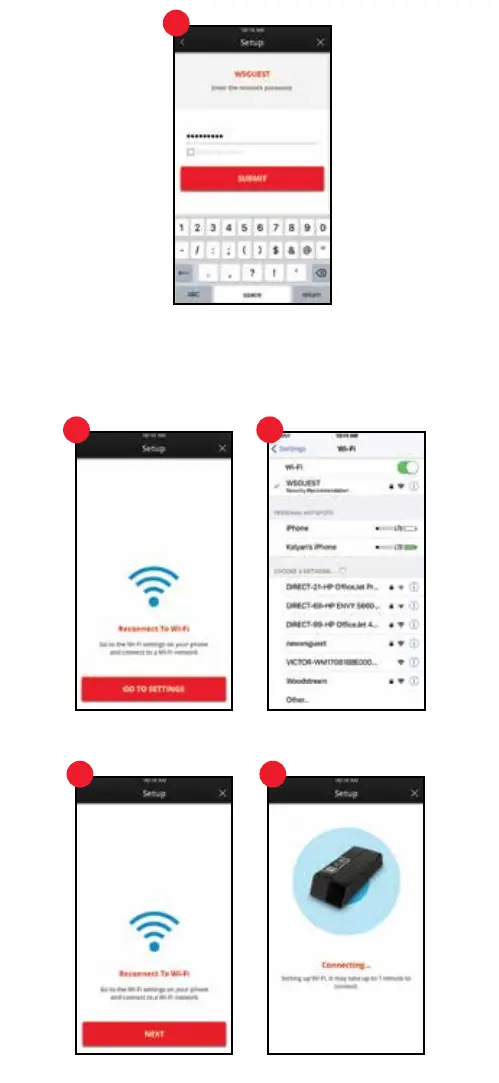
6. Reconnected Mobile Device
Go to the Wi-Fi settings on your device by pressing the red “Go to Settings” button. Choose
a Wi-Fi network. Most devices will automatically re-connect to the most recently selected
Wi-Fi network. If it does not, select it. Then press the back button on the phone’s top
menu bar to return to the Victor
®
Pest App.
6. Reconnect Mobile Device to Wi-Fi (Continued)
Press the red “Next” button. It may take up to 1 minute to connect.
6 6
6 6


 To Next Page